What Is Corporate Finance Automation and How It Works in Practice
Finance teams across organizations spend countless hours buried in spreadsheets, manually reconciling transactions, and chasing approvals through email chains. These outdated workflows create bottlenecks that slow decision-making and increase the risk of costly errors. Corporate finance automation transforms these processes by eliminating repetitive tasks, improving accuracy, and providing real-time insights to support smarter strategic decisions.
Modern automation technology handles routine tasks like data entry, invoice processing, and report generation, allowing finance professionals to focus on analysis and strategy. Organizations gain the speed and precision needed to make confident, data-driven decisions that drive business growth. For teams ready to implement these improvements, Bud's AI agent provides an intelligent solution that integrates with existing systems to streamline financial operations.
Table of Contents
- Why Manual Finance Processes Break at Scale
- What Corporate Finance Automation Actually Does
- Why Most Finance Teams Delay Automation and Pay for It Later
- Where Corporate Finance Automation Delivers Immediate Impact
- How to Implement Corporate Finance Automation Without Disrupting Operations
- Move Corporate Finance Work From Manual Execution to Full Workflow Automation
Summary
- Manual finance systems collapse when transaction volumes double because error rates increase by 25%, according to KPMG research. The breakdown isn't gradual. When invoice processing jumps from 200 to 400 monthly transactions, reconciliation that once took two days now requires four, except deadlines don't extend. The queue never clears, verification becomes physically impossible at speed, and errors multiply because the system was never designed to scale beyond human coordination capacity.
- Financial reporting becomes a lagging indicator when data lives across siloed tools that require manual consolidation. KPMG found that 73% of finance leaders say manual processes limit their ability to scale, and the constraint isn't just speed; it's visibility. When answering basic questions about the current cash position requires three people spending half a day pulling data from disconnected systems, leadership makes strategic decisions about pricing, hiring, and market expansion based on information that's already weeks old.
- Automation compresses invoice processing time by up to 80% according to Esker, not just because computers work faster than humans type, but because the system eliminates wait states between manual steps. The invoice that took five days to clear manually now processes in hours because the coordination overhead vanishes. The system doesn't sleep, doesn't wait for email responses, and doesn't require three people to align schedules before a transaction can move forward.
- Quadient reports that 70% of finance teams still rely on manual processes, and that persistence isn't stubbornness, it's fear that automation introduces new risks. Spreadsheets feel safer because they're visible and familiar. When reconciliation fails, you open the file, spot the formula error, and fix it yourself. That hands-on control feels reassuring until transaction volume crosses the threshold where human cognitive capacity reaches its limits, and errors slip through, surfacing only weeks later in audits or as duplicate payments.
- Automation delivers a 90% reduction in manual data entry errors, according to Quadient, and that improvement matters most when error probability increases with transaction volume. The substitution test is direct: when transaction volume growth outpaces team capacity to maintain accuracy and speed, manual systems degrade predictably. Automation becomes unavoidable rather than optional because the alternative is compounding error rates, stretched close cycles, and reporting delays that embed risk into every strategic decision.
- Most critical finance workflows happen outside integrated software systems in vendor emails, forwarded PDF approvals, and chat thread verifications, where traditional automation tools cannot reach. Bud's AI agent addresses this by operating across existing tools the same way a finance operator would, using browsers, email, and communication channels to execute multi-step workflows and move data between platforms without manual handoffs.
Why Manual Finance Processes Break at Scale
Manual finance systems work well with a few transactions but break down at scale. The problem isn't the team's capability—these processes were never designed to handle complex situations. As transaction volume increases, they fail in predictable, compounding ways, putting the entire operation at risk.

Key Point: The failure of manual finance processes at scale isn't a people problem—it's a fundamental design limitation that creates operational vulnerability.

Warning: Organizations often mistake process failures for team performance issues, leading to the wrong solutions and continued operational risk.
How do error rates multiply when transaction volumes increase?
According to KPMG, error rates increase by 25% when transaction volumes double in manual systems. Processing 200 invoices monthly through spreadsheets and email chains allows finance teams to identify problems and maintain reasonable accuracy.
Double that volume to 400 invoices, and the same two-day reconciliation process now takes four days, except you still have only two days before the next batch arrives. Errors don't increase proportionally with volume; they multiply because checking becomes physically impossible at speed.
What happens when manual systems reach their breaking point?
One finance manager described the breaking point: juggling orders, inventory, and shipping by hand created an unmanageable workload. Reconciliation fell behind the flow of transactions. The system didn't slowly deteriorate—it collapsed.
Payments went out based on unchecked data, duplicate invoices slipped through, and the month-end close took eight days instead of three because every number required manual verification.
How do siloed systems create reporting delays?
Tools that work separately and people who have to match up the numbers by hand create a big problem: your financial reports show what happened yesterday, not what's happening today. When accounts payable is in one spreadsheet, receivables are in another, and inventory costs are in a third system that needs manual export and reformatting, assembling accurate reports becomes like digging through old ruins.
By the time leadership reviews last month's performance, the business has already made two weeks of decisions based on guesses rather than data.
What are the visibility constraints of manual processes?
KPMG reports that 73% of finance leaders say manual processes limit their ability to grow. The problem isn't speed alone; it's visibility.
When your CFO asks about the current cash position or gross margin trends, and the answer requires three people spending half a day pulling data from disconnected systems, you're working with outdated information while conditions shift in real time.
How do modern solutions address automation gaps?
Traditional finance automation tools attempt to solve this through software integrations and API connections. However, most older platforms lack seamless connectivity, and many critical finance tasks occur outside these systems: vendor communications via email, invoice approvals via PDFs, and expense verifications via screenshots and chat threads.
Solutions like Bud's AI agent work like a human finance professional, using actual browsers, email, and communication channels to complete tasks across any platform. This approach fills automation gaps that traditional software integration cannot reach, particularly in unstructured workflows where most manual bottlenecks occur.
Leadership makes strategic decisions about pricing, hiring, inventory investment, and market expansion based on incomplete or outdated financial data. When reporting infrastructure can't keep pace with transaction velocity, every decision carries hidden risk because the foundation is unreliable.
What Corporate Finance Automation Actually Does
Finance automation turns manual coordination tasks into system-driven workflows that operate without human intervention at each step. Instead of logging into five bank websites, downloading CSVs, reformatting columns, and entering transactions into accounting software, the system connects directly to bank feeds, sorts transactions based on learned patterns, posts entries automatically, and flags only unusual items requiring human judgment. Key Point: Corporate finance automation eliminates the tedious manual tasks that consume hours of daily work, allowing finance teams to focus on strategic analysis rather than data entry.
Best Practice: Start with high-volume, repetitive tasks like bank reconciliation and invoice processing to see the biggest impact from automation implementation.
Why do manual processes create failure points?
Manual processes fail because they require coordination across disconnected systems and repeated human decisions at scale. Each touchpoint introduces delay and error probability. When invoice approval requires forwarding a PDF through email, waiting for responses, manually updating a tracking spreadsheet, and entering approved amounts into accounting software, you've created four separate failure points where information can be lost, duplicated, or misinterpreted.
Automation collapses those touchpoints into a single workflow: invoice arrives, the system extracts data using optical character recognition, routes it to the appropriate approver based on amount and vendor category, updates records upon approval, and posts the transaction without human intervention.
How does automation eliminate processing delays?
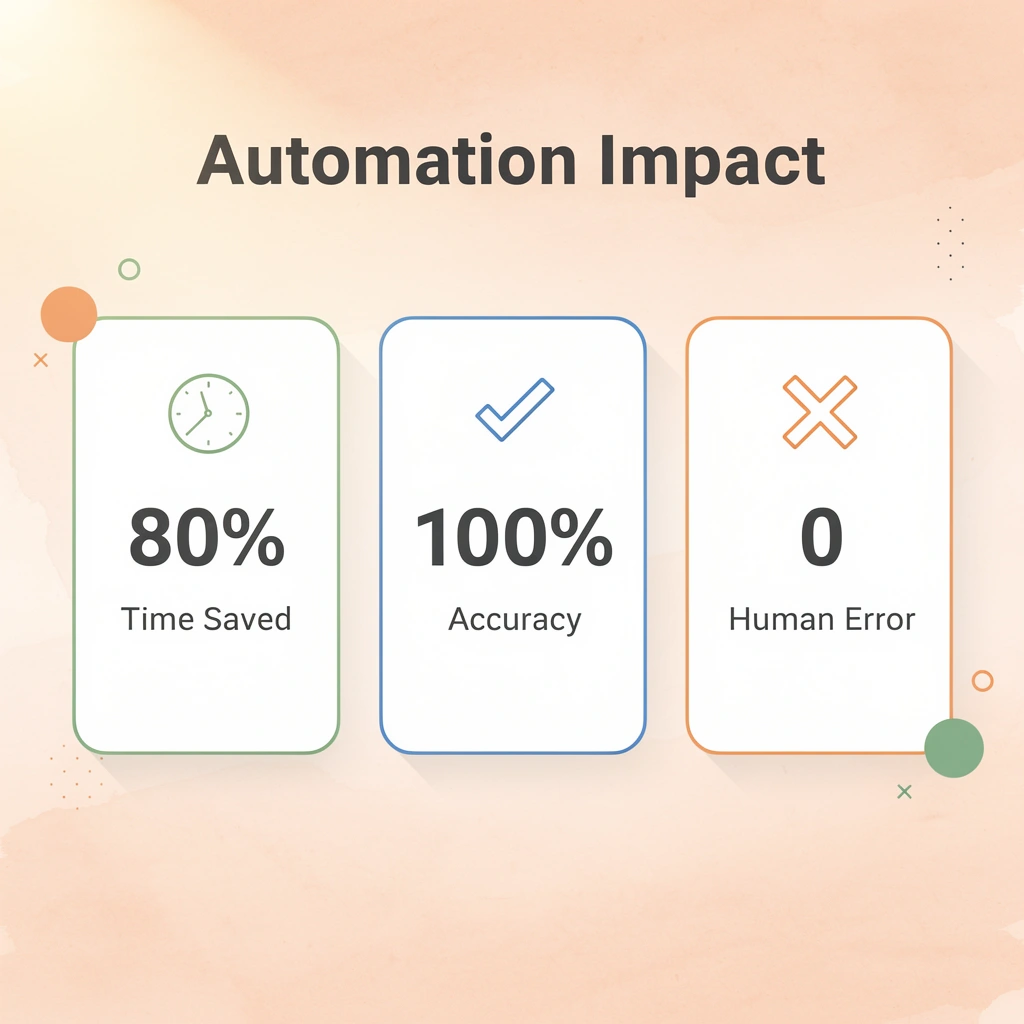
The speed gain comes from eliminating wait times between manual steps. According to Esker, accounts payable automation can reduce invoice processing time by up to 80%.
The system doesn't sleep, doesn't wait for email responses, and doesn't need to coordinate schedules across multiple people. The invoice that took five days to process manually now clears in hours because coordination overhead has disappeared.
How does automation replace manual reconciliation processes?
Most finance teams work with disconnected tools that require manual data movement between systems. Reconciliation involves downloading bank statements, exporting accounting records, copying both into a comparison spreadsheet, manually matching line items, and investigating discrepancies by cross-referencing emails and invoices.
Automation replaces this with continuous matching: transactions import automatically, the system applies rules to categorize and match them against existing records, and only unmatched items surface for review. What used to consume 20 hours weekly now runs continuously in the background, with your team reviewing exceptions rather than manually comparing thousands of line items.
What changes in financial reporting workflows?
Reporting has shifted from digging through old records to capturing real-time events. When financial data lives across separate systems—bills payable, receivables, payroll, and inventory—creating a current cash report requires pulling data from each system, manually resolving timing issues, reformatting for consistency, and consolidating into a single spreadsheet. By the time leaders review it, the numbers are already outdated.
Automated reporting pulls data continuously from connected sources, applies consistent formatting and calculation rules, and updates dashboards instantly. The question "What's our current cash position?" is answered immediately rather than launching a half-day data-gathering project.
How do AI agents handle workflows outside traditional systems?
Traditional automation tools connect different financial systems through APIs, but most work happens outside those systems. Vendor communications via email, invoice approvals sent as forwarded PDFs, and expense verifications using screenshots and chat threads create gaps that software integration cannot reach.
Solutions like Bud's AI agent work differently by completing tasks the same way a human finance professional would, using actual browsers, email, and communication channels to work across any platform. This approach addresses unstructured workflows where manual bottlenecks occur by automating the coordination layer that traditional finance software leaves untouched.
The pattern holds across every finance function: identify manual coordination steps, replace them with system-driven triggers and rules, and reduce human touchpoints to decisions requiring judgment. Approval routing becomes automated workflow management. Variance analysis becomes exception-based alerting. Month-end close becomes continuous reconciliation with a final validation step. Automation removes the coordination overhead that manual processes require at scale, reducing the probability of errors and processing time while freeing your team to focus on analysis rather than data movement.
Why Most Finance Teams Delay Automation and Pay for It Later
Manual finance processes feel safer because you can see them, they're familiar, and you can control them. You can see the spreadsheet, follow the email thread, and watch someone check each transaction. This visibility creates the feeling of control, even when the system is breaking down. Key Point: The illusion of control through manual oversight often masks underlying system failures and inefficiencies.
Companies resist automation due to legitimate concerns: the risk of moving to a new system, setup complexity, and worry about losing oversight when tasks shift from people to systems.
Warning: Delaying automation due to comfort with manual processes can lead to compounding inefficiencies and increased operational risk over time.

Why does familiarity feel safer than automation?
Spreadsheets have been the foundation of finance operations for years because they require no special training, operate independently, and fail visibly and fixably. When reconciliation fails, you open the file, locate the formula error, and correct it. This hands-on control feels reassuring: you can fix problems immediately and understand what went wrong. Quadient reports that 70% of finance teams still rely on manual processes.
This persistence isn't stubbornness; it's the logical response to systems that have worked well enough so far, combined with concern that automation introduces new, harder-to-control risks.
How does manual control break down at scale?
The problem is that manual control doesn't scale predictably. Error rates compound rather than increase linearly with volume. When one person reconciles 50 transactions weekly, they catch discrepancies because the dataset fits in working memory. At 200 transactions, pattern recognition breaks down, verification becomes sampling rather than a comprehensive review, and errors slip through not because competence declined but because human cognitive capacity hits its limit.
The control you thought you had was always conditional on staying below a volume threshold. Crossing it doesn't announce itself with warnings; it reveals itself through audit findings, duplicate payments, and reporting failures weeks after the underlying error occurred.
How does a lack of standardization create audit risks?
Manual processes create a second problem: lack of standardization reduces auditability. When invoice approval happens through email threads, each approver develops their own verification habits. One checks vendor details against purchase orders, another focuses on amount thresholds, and a third approves based on relationship trust without documentation.
The process appears to work because invoices get paid, but auditors cannot produce evidence of consistent control procedures. Systems relying on institutional knowledge rather than documented procedures fail when key people leave, or the workload exceeds the capacity to maintain informal checks.
What makes AI agents different from traditional automation?
Most traditional automation tools address this problem by connecting software to accounting systems, payment platforms, and banking feeds via APIs. However, critical finance workflows occur outside these systems: vendor communications through email, invoice approvals via forwarded PDFs, and expense verifications using screenshots and chat threads.
Our AI agent works differently by completing tasks the same way a human finance professional would, using actual browsers, email, and communication channels across any platform. This method automates the unstructured coordination layer where manual bottlenecks occur: workflows that traditional finance software cannot reach because they exist in communication tools rather than financial systems.
Why does delaying automation increase business risk
Putting off automation doesn't keep you in control; it increases risk over time as the gap between transaction complexity and process capacity widens. Your business adds product lines, enters new markets, and hires staff across regions. Each change generates more transactions and new compliance requirements, but your finance systems remain static.
Close cycles range from 3 to 7 to 10 days. Reporting accuracy declines not because your team is less careful, but because manual checking cannot keep pace with data volume. Leadership makes pricing decisions, hiring plans, and market expansion choices based on financial data that is weeks old and only partially verified, introducing risk into every strategic decision.
What drives finance teams to resist automation?
Some finance leaders worry automation might replace employees, causing delays even when moving forward makes business sense.
Doing things by hand doesn't keep jobs safe; it keeps talented finance workers stuck doing repetitive data entry tasks, preventing them from performing analysis, forecasting, and strategic work that requires human judgment. The real cost of waiting is losing time while your finance team processes transactions instead of creating insights. Meanwhile, your competitors gain speed and visibility advantages, helping them make better financial decisions.
Understanding why teams delay matters only if you know where automation creates sufficient value to justify the cost of change.
Where Corporate Finance Automation Delivers Immediate Impact
Automation creates value fastest in workflows where repetition, volume, and clear rules converge. Manual coordination cannot keep pace with transaction flow; replacing human touchpoints with system-driven execution reduces processing time and eliminates variance. When a task requires the same sequence of steps applied to hundreds of identical inputs, machines execute faster and more consistently than humans. Key Point: The highest-impact automation opportunities exist where high-volume, rule-based processes currently consume significant manual effort and create processing bottlenecks.

Best Practice: Focus automation efforts on processes with clear decision trees, predictable inputs, and measurable cycle times to achieve the fastest return on investment.
Why do transactional processes break manual systems?
High-volume transactional work breaks manual systems because humans cannot maintain consistent execution speed or accuracy across repetitive tasks at scale. Processing 400 invoices, each requiring the same eight validation steps, creates a coordination bottleneck in which every manual touchpoint introduces delay and increases the risk of error.
According to Quadient, automation reduces invoice processing time by 73%. This compression occurs because the system doesn't wait for email responses, skips validation steps under pressure, and maintains speed as volume increases.
How does automation transform financial workflows?
Accounts payable automation replaces manual invoice capture with OCR, which immediately extracts vendor details, amounts, and line items. Approval workflows route requests based on set rules (amount limits, department budgets, vendor categories) instead of forwarded emails and calendar coordination. Payment scheduling occurs automatically upon completion of approval, with reporting updated in real time.
Accounts receivable automation solves the matching bottleneck by automatically pairing incoming payments with outstanding invoices, eliminating hours spent cross-referencing bank statements. Payroll and expense processing gains consistency through automated policy compliance checks that validate every submission against the same rules, removing variance caused by inconsistent approver judgment.
What gaps do traditional automation tools miss?
Traditional automation tools attempt to solve coordination problems by connecting financial systems through APIs, but most critical workflows occur outside those connected platforms. Vendor communications via email, invoice approvals through forwarded PDFs, and expense verifications using screenshots create gaps that software integration cannot address.
Solutions like Bud's AI agent work differently by completing tasks exactly as a human finance professional would, using actual browsers, email, and communication channels to work across any platform. Our AI agent automates the unstructured coordination layer where manual bottlenecks occur, addressing workflows that traditional finance software leaves untouched.
How does automation streamline accounting close processes?
At the end of each month, quarter, and year, companies perform repetitive closing tasks where timing matters more than complex decision-making. Automated systems that match bank transactions with general ledger entries eliminate manual work, reducing the closing process from weeks to days. Recurring journal entries (accruals, deferrals, depreciation) post automatically on set schedules rather than being entered each period manually. Progress dashboards provide real-time task updates, replacing email chains and status meetings that hinder collaboration across distributed teams.
Why does automation eliminate wait states between tasks?
Automation reduces wait times between connected tasks. When reconciliation requires downloading statements, exporting records, manually matching line items, and investigating discrepancies before journal entries can post, each step must wait for the previous one to finish. Automation runs these processes simultaneously, surfacing only exceptions that need human review.
Quadient reports that 80% of finance leaders say automation has improved their team's efficiency, particularly during close periods when tight timelines expose manual bottlenecks. Teams shift from transaction processing to analysis as data integration happens automatically, and close cycles compress from weeks to days because coordination overhead disappears.
How does automation transform FP&A workflows?
FP&A teams waste time pulling data, assembling spreadsheets, and creating reports: work that machines can do faster and more accurately. Automated budget roll-ups consolidate departmental submissions into company-wide forecasts without manual reformatting or formula errors.
AI-driven forecasting uses pattern recognition on historical and real-time data to create revenue, cash flow, and expense projections that update continuously as new information arrives. Flux reporting tools flag significant deviations automatically based on threshold rules, eliminating manual variance checking. Executive-ready reports are generated at set intervals with standardized formatting, replacing ad hoc requests that interrupt analytical work.
What automation benefits do compliance and risk teams see?
Compliance and risk experts gain more value by focusing on judgment, interpretation, and communication rather than manual documentation. Automated audit trails log every action, approval, and change with full transparency and access control, eliminating fragmented email threads and spreadsheet versions.
Centralized documentation repositories maintain strict evidence capture through version control and retrieval workflows that support regulatory requirements, eliminating manual file organization before audits. Recurring compliance reports are generated through standardized data pulls, ensuring consistency, while automated validation checks flag discrepancies against controls and filing requirements in real time rather than weeks later.
How do you measure automation impact across workflows?
Look at every workflow that slows things down: find places where repeated tasks, high volume, and clear rules create manual work. Replace steps requiring human involvement with system-driven execution, and redirect team capacity toward variance analysis and strategic work requiring judgment.
The value is measurable: time compression, error reduction, and capacity reallocation that appear immediately in close cycle duration, reporting accuracy, and team focus. Understanding where automation delivers impact matters only if you can implement it without disrupting critical workflows.
How to Implement Corporate Finance Automation Without Disrupting Operations
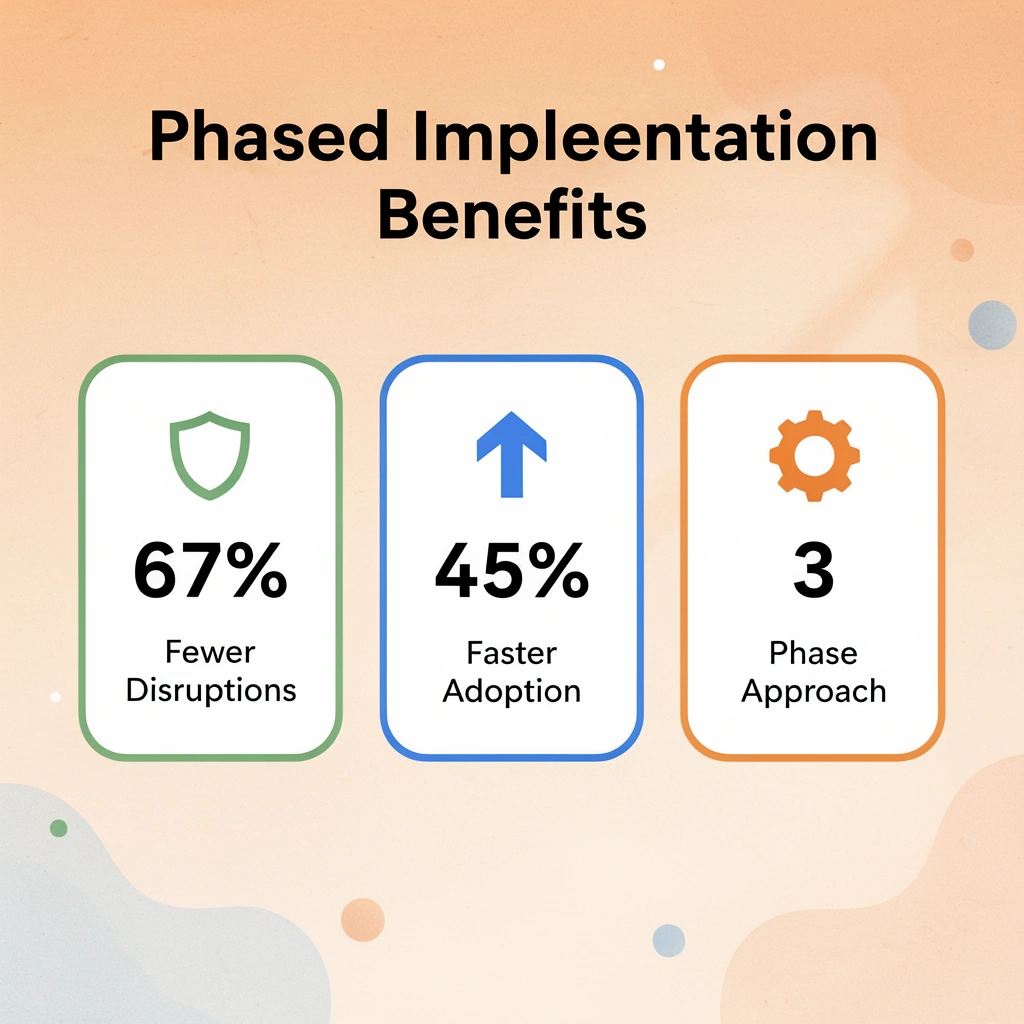
Automation fails when companies try to replace their whole system all at once instead of adding it in phases. Identify where repeated tasks and high volume create slowdowns, automate those coordination steps first, verify everything works by running the old and new systems in parallel, then expand step by step as you gain confidence. Layer automation into your existing processes to lower risk while accelerating execution immediately.

Key Point: Start with high-volume, repetitive tasks like invoice processing or expense reporting rather than attempting to automate your entire financial workflow at once.
Warning: Running parallel systems requires careful monitoring to ensure data consistency and prevent duplicate entries during the transition period.
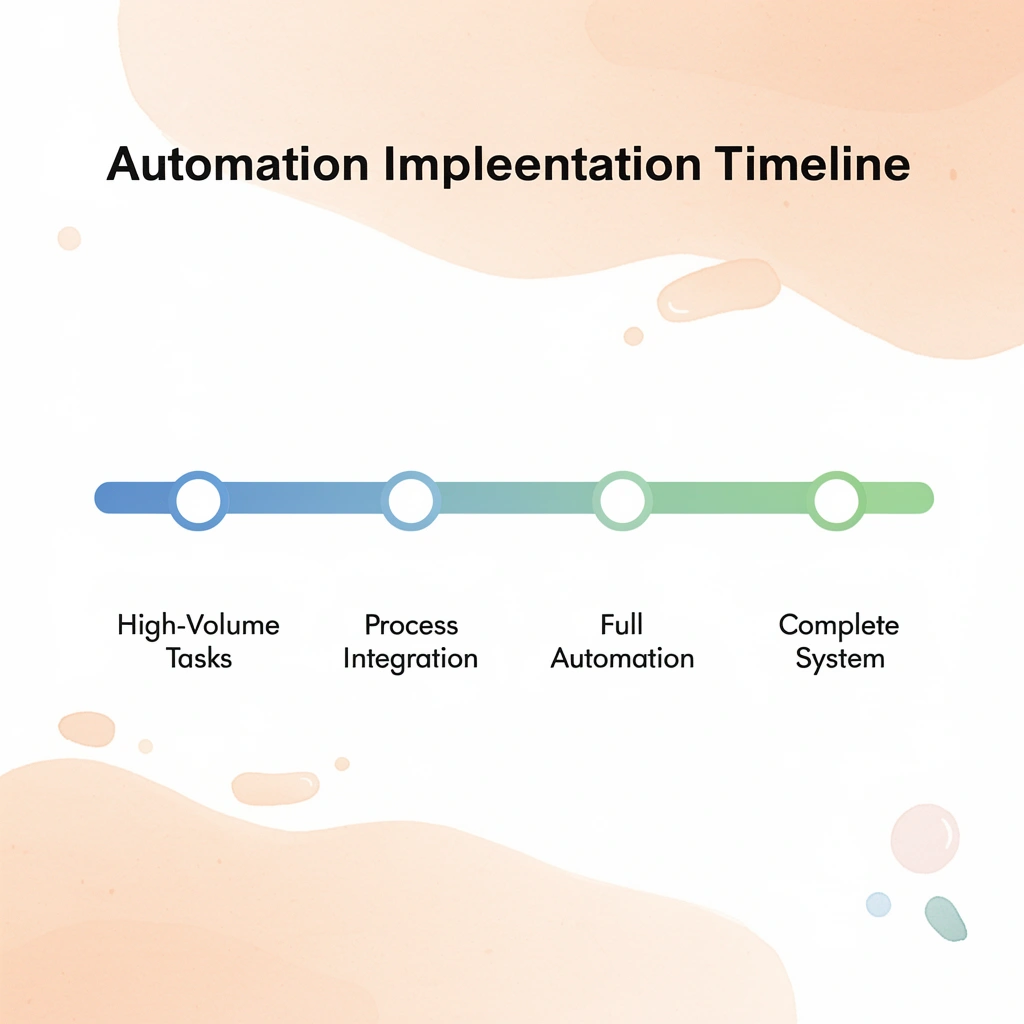
| Phase | Focus Area | Timeline | Risk Level |
|---|---|---|---|
| Phase 1 | High-volume tasks | 2-4 weeks | Low |
| Phase 2 | Process integration | 4-6 weeks | Medium |
| Phase 3 | Full automation | 8-12 weeks | High |
When does automation provide the most value?
Automation works best when you have a large number of transactions, need to coordinate across multiple systems, and must follow strict rules and regulations. If your team processes 500+ invoices monthly across multiple entities, reconciles dozens of bank accounts, or manages payroll for teams across different locations with different tax rules, manual processes cannot maintain accuracy at that volume.
According to Quadient, automation reduces manual data entry errors by 90%, with improvements increasing as you process more transactions.
When do manual processes still make sense?
Small finance setups with straightforward workflows, minimal vendor relationships, and single-entity structures may not justify automation. If you process 30 invoices monthly, reconcile two bank accounts, and close books in a day without strain, manual systems remain adequate.
When transaction volume growth outpaces team capacity, manual systems degrade predictably, making automation unavoidable rather than optional.
How do you map current workflows before selecting technology?
Implementation starts by writing down current workflows in detailed steps before examining any automation platform. Map every step in your accounts payable process: how invoices arrive (email, portal, mail), who reviews them, what validation checks occur, how approvals progress, where data gets entered, how payments execute, and what reporting updates.
This documentation reveals hidden coordination work. Invoice approval requires sending PDFs through three email chains, manually updating a tracking spreadsheet, waiting 48 hours for responses, and then re-entering approved amounts into accounting software because systems don't communicate. These four manual touchpoints become your targets for automation.
Why do traditional automation tools miss critical finance workflows?
Most important finance workflows happen outside integrated software systems. Vendor communications via email, invoice approvals via forwarded attachments, and expense verifications via screenshots create coordination gaps that traditional automation tools cannot address, since they rely on API connections between platforms.
Solutions like Bud's AI agent operate differently by completing tasks as a human finance professional would, using actual browsers, email, and communication channels to work across any system or platform. This approach automates the unstructured coordination layer where manual bottlenecks occur.
How do you validate automation before full deployment?
Start automation alongside existing manual processes rather than replacing them immediately. When automating invoice processing, continue manual processing for the first month while the system learns patterns, and you verify accuracy. Compare automated data extraction with manual entry, verify that routing logic matches approval policies, and confirm that payment scheduling aligns with cash management rules.
This parallel operation exposes configuration gaps before they create payment errors or compliance failures. According to Quadient, organizations achieve a 73% reduction in invoice processing time with automation, but this speed gain delivers value only if accuracy remains intact during transition.
What's the safest way to transition from manual to automated processes?
Once validation confirms that the automated workflow consistently matches the manual output, cut over one process segment at a time. Automate invoice capture and data extraction first; maintain manual approval routing for two weeks; then automate approvals while keeping manual payment execution; and finally automate end-to-end once each component proves reliable.
This incremental approach contains risk because failure affects one workflow segment rather than your entire finance operation. Understanding how automation works matters only if you know what happens when automation becomes the foundation of your finance operation, not just a productivity boost added on top.
Move Corporate Finance Work From Manual Execution to Full Workflow Automation
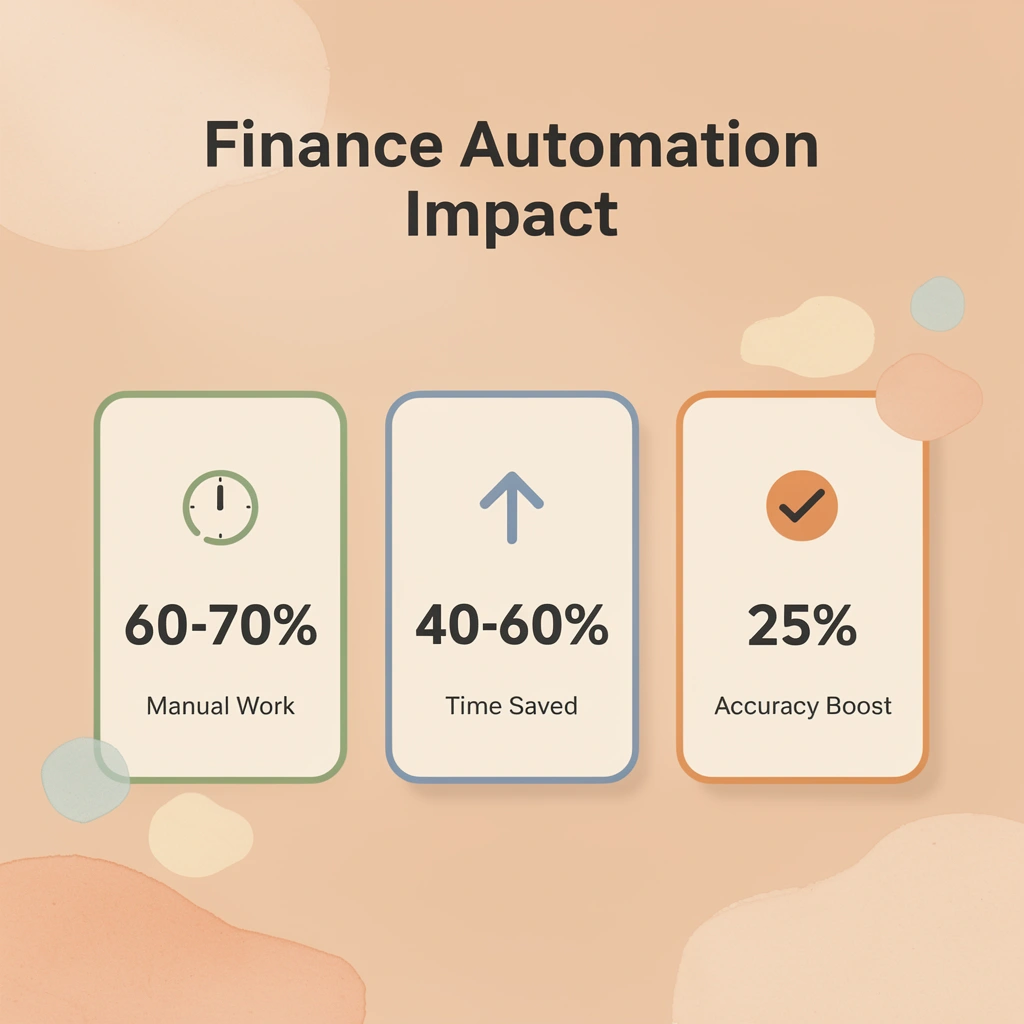
Corporate finance breaks down from manual work across disconnected systems, not a lack of skill. Spreadsheets, tool-switching, data copying, and approval chasing impede processes that should be structured, repeatable, and controlled. Tip: The average finance professional spends 60-70% of their time on manual data manipulation rather than strategic analysis.
Bud closes this gap by acting as an AI agent that operates across your existing tools like a finance operator would, without manual overhead. It navigates systems, executes multi-step workflows, and moves data between platforms without constant human input. This converts manual work—pulling and organizing data, executing reporting workflows, reducing handoffs—into system-driven processes.
Finance teams can focus on reviewing outputs and making decisions instead of moving information around. Try Bud's AI agent today to convert manual finance workflows into structured, automated execution in minutes, not months. Takeaway: At scale and complexity, the real bottleneck becomes execution speed across systems, not effort.

| Manual Process | Automated Workflow |
|---|---|
| Hours of data gathering | Minutes of automated collection |
| Multiple system logins | Single workflow execution |
| Error-prone manual entry | Validated data transfer |
| Delayed approvals | Instant routing and notifications |