15 Best Web Task Automation Tools for Modern Workflows
Repetitive browser tasks consume hours each week, from copying data between applications to filling forms and scraping website information. These mundane activities drain energy and steal time from meaningful work that drives business results.
The right web task automation tools can eliminate this tedious work and significantly streamline workflows. Sixteen powerful solutions stand out for their ability to handle browser-based processes automatically, and Bud's AI agent excels at executing complex web workflows without requiring technical setup.
Table of Contents
-
What Is Web Task Automation and Why Does It Matter
-
Common Web Tasks You Can Automate (Real Examples)
-
15 Best Web Task Automation Tools (Compared & Explained)
-
Best Practices for Scalable Web Task Automation
-
Stop Manually Executing Tasks That Should Already Be Automated. Automate Your First Web Task in Minutes With Bud
Summary
-
Web task automation delivers productivity increases of 40-60% according to automation impact analysis, which translates to reclaiming entire workdays previously consumed by repetitive clicking, copying, and form-filling. The gains come from eliminating the manual execution of high-frequency tasks such as data extraction, form submissions, and report generation. These aren't marginal improvements. They represent the difference between spending three hours on administrative processes versus thirty minutes, freeing capacity for strategic work that actually moves business outcomes forward.
-
Form processing automation reduces manual data entry time by 70-90% based on analysis of 137 business automation examples. Teams managing customer onboarding or vendor registration face dozens of identical form submissions weekly. Automated workflows handle these in seconds, not minutes per form, and they never transpose digits or miss required fields. Consistency matters as much as speed, since manual execution introduces errors that compound across volume.
-
Report generation automation saves operations teams an average of 10-15 hours per week, according to research identifying 15 automatable business processes. Compiling data from CRM systems, analytics platforms, and project management tools into unified outputs used to be consumed on Friday afternoons. Automated workflows now run as scheduled background tasks, extracting relevant data points, formatting them consistently, and assembling final documents without manual dashboard checking or copy-pasting between systems.
-
Most web automation tools operate within browser constraints, which creates a ceiling when workflows need to interact with desktop applications, file systems, or system-level processes. The limitation surfaces when scraped data needs to be routed through local database imports, or when form automation requires triggering file-processing scripts. Browser-only tools force manual handoffs at these boundaries, breaking the automation chain exactly where seamless continuation would deliver the most value.
-
Organizations implementing workflow automation reduce operational costs by up to 30%, according to business efficiency studies. The savings come from reallocating budget previously consumed by administrative overhead toward strategic initiatives. The pattern holds across industries because the underlying principle remains constant: automating repetitive execution frees resources (time, attention, budget) for higher-value activities that browser-clicking can't accomplish.
-
Bud's AI agent operates across your entire computing environment, not just browser tabs, letting automated workflows navigate between web interfaces and native applications without the manual handoffs that browser-only tools require.
What Is Web Task Automation and Why Does It Matter
Web task automation uses software to handle repetitive browser actions without manual intervention. Automated scripts execute workflows like extracting website information, filling forms, scheduling posts, monitoring page changes, or simulating user behavior for testing, eliminating manual clicking, copying between tabs, and logging into accounts. Key Point: Web automation transforms hours of repetitive clicking into seconds of automated execution, freeing up your time for higher-value tasks.
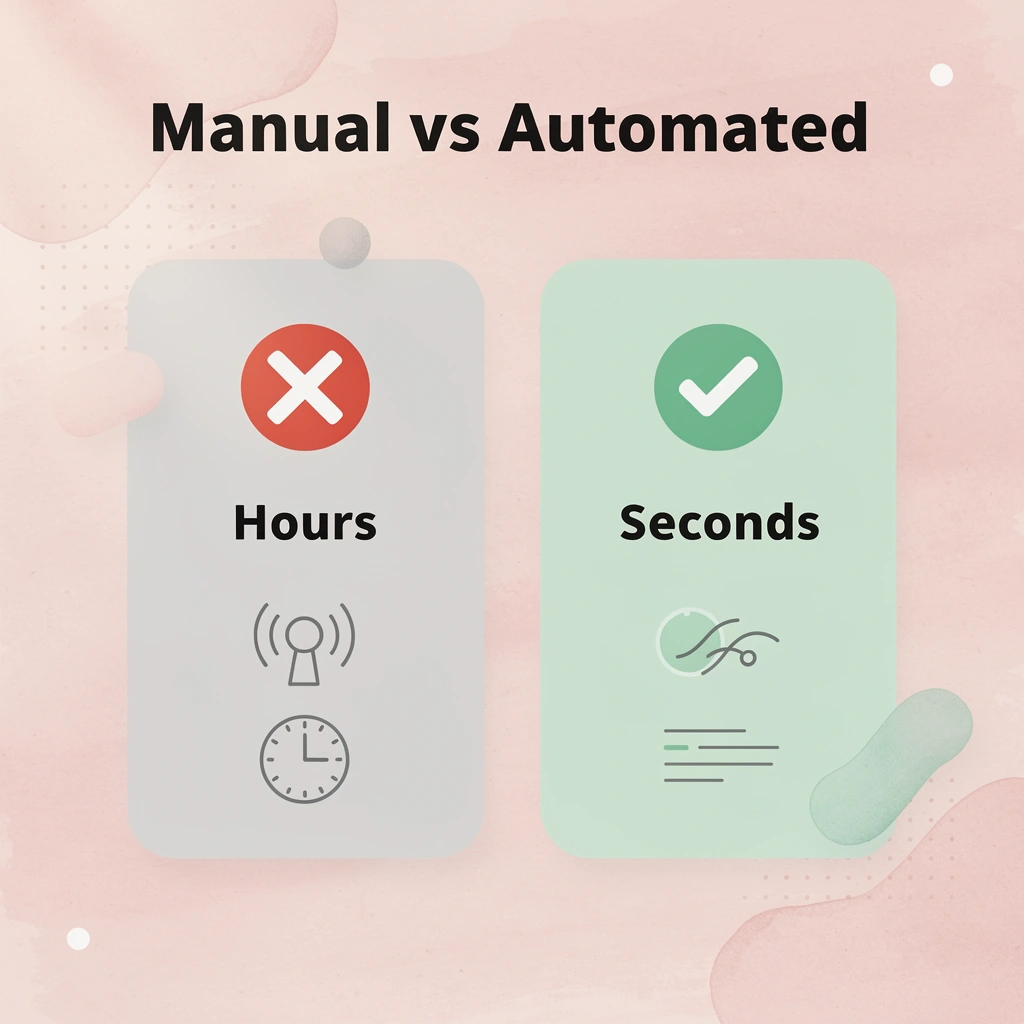
Example: Instead of manually checking 10 competitor websites daily for price changes, an automated script can monitor all sites simultaneously and alert you instantly when prices drop.

Why does automation matter for productivity?
These repetitive tasks consume significant time. Enabling credit card offers across multiple accounts, managing digital coupons, or repeating the same action dozens of times are everyday problems that add up to hours of lost time each week. Automation impact analysis shows that companies using automation achieve productivity increases of 40-60%, reclaiming entire workdays previously spent clicking, copying, and waiting.
How does automation eliminate execution inconsistencies?
Automation eliminates mistakes inherent in manual work. Once you test and approve a script or workflow, it runs consistently every time: no skipped steps, typos, forgotten passwords, or missed alerts. For developers, this means continuous integration tests run on schedule without manual oversight. For operations teams, it means accurate data transfers without typing errors.
What scale advantages emerge with increased volume?
Scale advantages emerge when handling larger volumes of work. A marketer can automatically schedule social media posts across six platforms instead of posting them manually. A QA engineer can run headless tests overnight rather than manually clicking through checkout sequences.
Business efficiency studies show that workflow automation can reduce operational costs by up to 30%, freeing up budget for strategic initiatives rather than administrative overhead.
Who actually uses this
Developers automate testing to catch bugs before production. Marketers extract competitor pricing and monitor campaign performance. Customer support teams automate ticket routing. Founders scrape market research or qualify leads. The common thread: recognizing that your time has higher-value uses than repeating the same clicks daily.
What limitations do traditional automation tools have?
Traditional automation tools work within browser limits, hitting a ceiling when tasks require desktop applications, file systems, or system-level processes. Our AI agent breaks this limitation by providing full computer access, enabling workflows to move between web interfaces and native applications, run system commands, and handle multi-environment tasks beyond browser-only capabilities.
What prevents people from implementing automation?
Knowing that automation matters and implementing it are two different things.
Filling forms across multiple platforms
You can automate form submissions that repeat the same data across different sites: account creation, registration, checkout, and shipping address entry. A script locates input fields, fills them with saved values, and submits in seconds instead of minutes per form, without errors or missing required fields.
Teams managing customer onboarding often handle dozens of form submissions weekly. According to WorkDone.AI's compilation of 137 automation examples, form processing automation cuts manual data entry time by 70-90%, reducing administrative intake from three hours to 30 minutes and freeing staff for customer conversations rather than data entry.
What is web scraping, and how does it work?
Web scraping pulls structured information from web pages, such as pricing tables, product specifications, contact directories, review aggregates, and inventory status. You define what data to extract and where it lives on the page. The automation visits each URL, locates the target elements, captures the content, and outputs it to a spreadsheet or database.
Why is automated extraction better than manual data collection?
This becomes essential when monitoring competitors or gathering research. Checking fifty product pages by hand requires opening tabs, scrolling, copying, and pasting repeatedly. Automated extraction runs overnight and delivers clean data by morning. Most scraping tools work only within browser contexts, which breaks when you need to process that data through desktop applications or connect it with local file systems. Our AI agent transcends browser sandboxes, enabling workflows to extract web data and immediately send it through system-level processes such as database imports or file transformations without manual handoffs.
Scheduling social posts and monitoring engagement
Automated publishing distributes content across platforms at set times without manual logins or time zone calculations. The system aligns posts with images and captions, then publishes them on schedule while tracking engagement metrics such as reach, clicks, and interactions.
Generating reports from multiple data sources
Report automation consolidates information from different platforms into unified outputs: sales dashboards that pull CRM data, analytics summaries that combine traffic sources, and performance reviews that aggregate project management metrics. The workflow logs into each system, extracts relevant data points, formats them consistently, and generates the final document. Research from Vegam.ai, identifying 15 key business processes, shows that report generation automation saves an average of 10-15 hours per week for operations teams.
The harder question: which tool handles your specific workflow without requiring a computer science degree to set up?
15 Best Web Task Automation Tools (Compared & Explained)
The right tool depends on whether you need simple text shortcuts, visual workflow builders, or full-system automation. Some tools handle one narrow task exceptionally well, while others organize complex multi-step processes across web interfaces, APIs, and desktop applications. The difference is whether the tool grows with your workflow or forces you to work around its limitations.
1. Bud
What it is
Bud is an AI agent designed to operate like a real user on a computer, performing end-to-end digital tasks across websites, apps, and tools.
How it works
Instead of connecting apps, Bud actively navigates interfaces, clicks buttons, fills forms, extracts data, and completes workflows without pre-built integrations.
Best use case and features
Bud is ideal for replacing repetitive manual tasks that typically require human interaction across multiple systems. It can:
-
Conduct multi-step research and data gathering tasks
-
Operate tools like dashboards, websites, and developer platforms
-
Handle QA testing, reporting, and repetitive admin workflows
-
Execute full “start-to-finish” processes without supervision
2. Zapier
What it is
Zapier is a cloud automation platform that connects thousands of apps using simple logic rules.
How it works
Users build "Zaps" following an if-this-then-that structure. For example, when a form is submitted, the system automatically sends data to a CRM and notifies Slack.
Best use case and features
-
Connecting SaaS tools without coding
-
Automating marketing, sales, and operations workflows
-
Moving data between apps like Gmail, Sheets, Slack, and HubSpot
-
Simple rule-based automation for business processes
3. Make.com
What it is
Make.com is a visual automation platform for building advanced workflows with logic, branching, and API integrations.
How it works
It uses a drag-and-drop scenario builder where each module represents an action or data step, enabling complex workflows involving APIs, apps, and data transformations.
Best use case and features
-
Building multi-step automation pipelines
-
Web scraping and structured data processing
-
Integrating APIs without backend coding
-
Automating reporting, notifications, and data sync workflows
4. n8n
What it is
n8n is an open-source workflow automation platform designed for technical users who want full control over their automation systems.
How it works
It uses a node-based visual editor where each node performs a specific function. It can be self-hosted or cloud-based.
Best use case and features
-
Self-hosted automation for data privacy
-
Complex API orchestration and system integrations
-
Internal business workflows and backend automation
-
Highly customizable logic flows with developer flexibility
5. Selenium
What it is
Selenium is a browser automation framework used for testing and programmatic control of web browsers.
How it works
Developers write scripts in Python or Java to simulate user actions such as clicks, navigation, and form submissions.
Best use case and features
-
Automated testing for web applications
-
Custom scraping and browser control systems
-
Simulating real user interactions at scale
-
Full control over browser behavior via code
6. Axiom.ai
What it is
Axiom.ai is a no-code browser automation tool that lets users build workflows directly inside Chrome.
How it works
Users create automation flows using a visual interface that interacts directly with web pages, either by recording actions or by defining steps manually.
Best use cases and features
-
Web scraping without coding
-
Lead generation and data extraction
-
Automating repetitive browser tasks
-
Simple workflow automation for non-technical users
7. BrowserFlow
What it is
BrowserFlow is a Chrome-based automation tool that records user actions and converts them into repeatable workflows.
How it works
Users perform tasks as usual, and BrowserFlow captures each step for later replay or modification.
Best use cases and features
-
Automating repetitive website navigation
-
Form filling and data entry workflows
-
Simple process automation without coding
-
Visual recording-based workflow creation
8. Text Blaze
What it is
Text Blaze is a text-expansion tool that automates repetitive typing with shortcuts and templates.
How it works
Users define snippets that expand into full text blocks when triggered by a shortcut (e.g., "/email" expands into a full email template).
Best use cases and features
-
Email writing and customer support replies
-
Form filling and repetitive messaging
-
Dynamic templates with variables (dates, names, etc.)
-
Speeding up everyday typing tasks
9. Magical Text Expander
What it is
Magical is a browser-based text automation tool for fast text replacement and data entry automation.
How it works
It replaces short abbreviations with full phrases or structured text instantly in any browser field.
Best use case and features
-
CRM data entry automation
-
Sales outreach messaging
-
Support and admin responses
-
Fast text expansion inside web apps
10. TextExpander
What it is
TextExpander is a professional-grade text expansion tool designed for teams and enterprise use.
How it works
Users create reusable snippets that expand into full text across applications when triggered by shortcuts.
Best use case and features
-
Standardized team communication
-
Customer support macros
-
Sales messaging consistency
-
Cross-device snippet synchronization
11. IFTTT
What it is
IFTTT is a simple automation platform that connects apps using conditional triggers.
How it works
Users build “applets” that follow a basic rule: when something happens in one app, trigger an action in another.
Best use case and features
-
Social media automation
-
Smart device workflows
-
Notifications and alerts
-
Lightweight cross-app integrations
12. Tray.io
What it is
Tray.io is an enterprise automation platform designed for complex, large-scale system integrations.
How it works
It provides a visual workflow builder with advanced logic, branching, and API orchestration capabilities.
Best use case and features
-
Enterprise-grade workflow automation
-
Complex CRM and backend integrations
-
Data-heavy automation pipelines
-
Multi-system business process automation
13. Automa
What it is
Automa is a Chrome extension that allows users to automate browser tasks using a block-based workflow system.
How it works
Users build flows by connecting visual blocks that simulate actions like clicks, inputs, and navigation.
Best use case and features
-
Automating repetitive browser actions
-
Form filling and tab management
-
Simple no-code automation for everyday tasks
-
Lightweight browser process automation
14. CapMonster Cloud
What it is
CapMonster Cloud is a CAPTCHA-solving API service used in automation workflows that encounter bot protection.
How it works
When a CAPTCHA appears in an automated process, CapMonster processes it in the cloud and returns a solved token via API.
Best use case and features
-
Web scraping behind CAPTCHA protection
-
Supporting automation pipelines with bot challenges
-
Integration with tools like Make, n8n, and Selenium
-
High-volume automated data extraction workflows
15. ZennoPoster
What it is
ZennoPoster is a powerful visual automation platform for building complex browser bots without traditional coding.
How it works
It uses a block-based system where users construct workflows that simulate browsing, scraping, uploading, and API interactions.
Best use case and features
-
Advanced web scraping and automation bots
-
Multi-threaded data extraction workflows
-
Proxy-based automation tasks
-
File handling, form submission, and API calls
Best Practices for Scalable Web Task Automation
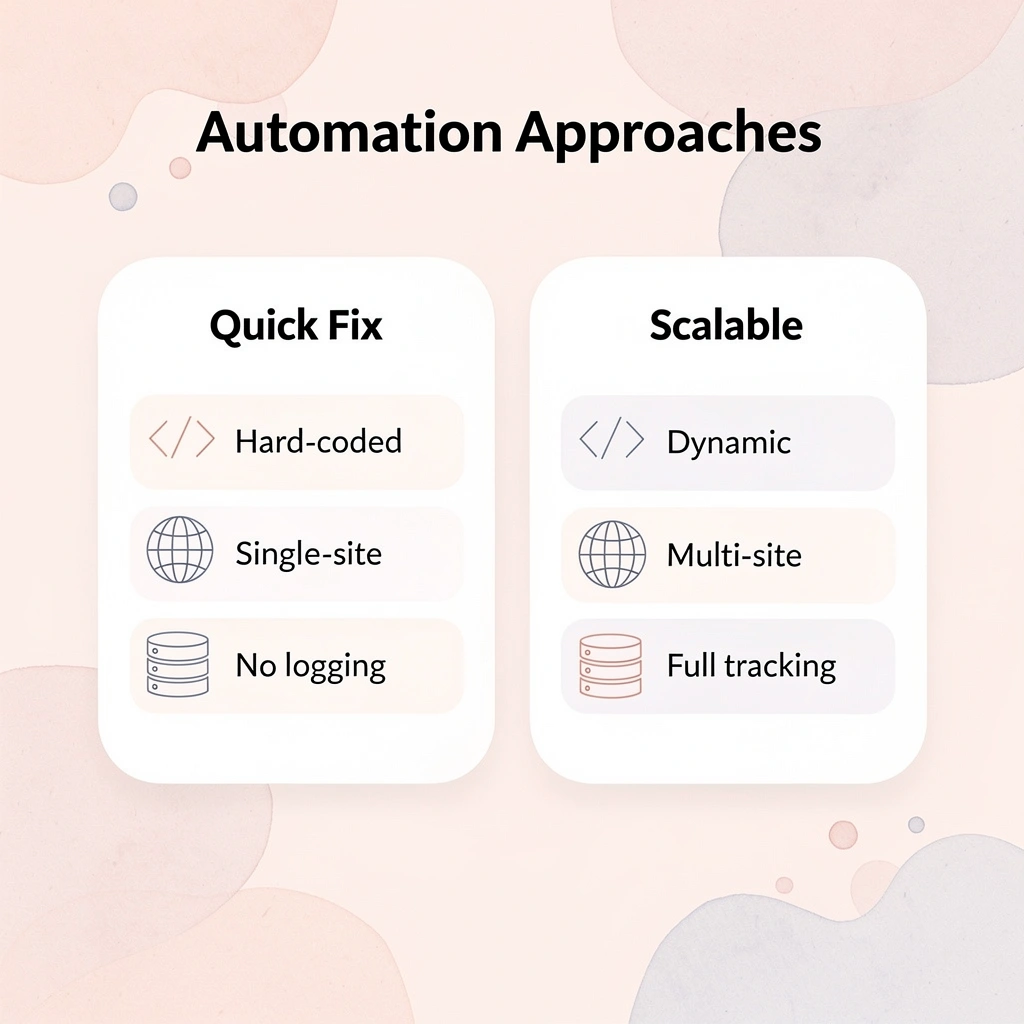
Small automations are easy, but scalable automation requires a structured approach from the start. When your workflow doubles in complexity or websites change their layout, systems built on clever fixes break. Build strong foundations instead.

Key Point: The difference between a quick script and enterprise-grade automation lies in architectural planning. Scalable systems anticipate change, handle edge cases, and maintain reliability as complexity grows.

| Quick Fix Approach | Scalable Foundation |
|---|---|
| Hard-coded selectors | Dynamic element detection |
| Single-site focus | Multi-site architecture |
| No error handling | Comprehensive logging |
| Manual updates | Self-healing mechanisms |
| Warning: Most developers underestimate the maintenance overhead of automation systems. What takes 2 hours to build can require 20 hours of ongoing fixes without proper architectural planning. |
Start with high-frequency repetitive tasks
The best automation targets are tasks that happen often and don't change much: daily data exports, weekly form submissions, and hourly inventory checks. These provide immediate time savings and help you learn how to use automation tools before tackling more complex workflows.
According to AI Workflow Designer's analysis of automation's impact, organizations see a 65% reduction in the time required to complete manual tasks. This applies primarily to repetitive workflows; one-off tasks don't benefit from automation.
Avoid over-engineering early
Teams spend months building complex conditional logic for edge cases that account for 2% of executions, designing retry mechanisms for failures that haven't occurred, or building multi-agent systems when a single script already handles the current volume. Fragility stems from premature optimization that adds complexity without solving real problems, not from simplicity.
Start with the minimum automation needed to handle your actual workflow today. When you encounter a genuine failure pattern after running the automation fifty times, add handling for that specific case. Systems that grow from real usage patterns stay maintainable because every piece of logic solves a problem you've actually experienced.
Why do browser-only automation tools fail at scale
Most automation tools only work within your web browser, failing when workflows need to handle downloaded files, execute computer commands, or interact with desktop applications. Teams discover their automations can't extend beyond web interfaces without complete rewrites. This stems from how the tool is built, not from technical constraints.
How can automation systems operate across your entire computing environment?
Solutions like Bud's AI agent work across your entire computing environment, not just browser tabs. When web scraping needs to send extracted data to local database imports or start file-processing scripts, automation continues smoothly rather than stopping at the browser boundary. This architectural difference determines whether your system grows by adding steps or requires rebuilding.
What happens when automation systems become harder to maintain
The real risk isn't failing to automate. It's building systems that become harder to maintain as requirements change, until you're spending more time fixing broken automations than you saved by building them.
Stop Manually Executing Tasks That Should Already Be Automated. Automate Your First Web Task in Minutes With Bud
The problem isn't knowing what to automate: it's connecting tools, workflows, and repetitive actions consistently without constant help. Most people switch between tabs, copy data between systems, and manually complete multi-step processes that break when complexity or volume increases. Tip: The biggest automation challenge isn't identifying tasks—it's creating reliable connections between different systems that won't break under pressure.
Our AI agent removes that friction. Instead of fragmented tools or automation setups that fail, Bud interacts directly with websites, applications, and workflows as a human would: filling forms, extracting data, running analysis, and completing end-to-end tasks without oversight. The difference is full computer access, not just browser-level scripting that breaks when your workflow needs desktop applications or system processes. Key Point: True automation requires full system access, not browser-based tools that fail when interacting with desktop applications.

Start in under five minutes. Try Bud's AI agent today to automate data extraction, QA testing, research tasks, and multi-step operations. Focus on higher-value work instead of repetitive execution. Warning: Don't settle for partial automation that breaks when your workflow gets complex—choose tools that handle end-to-end processes seamlessly.