15 Best Instagram Automation Tools for Better Growth and Engagement
Managing a successful Instagram presence demands hours of repetitive work that pulls creators away from building real connections with their audience. Posting daily, replying to comments, and hunting for the right hashtags consume valuable time while growth remains elusive. Instagram automation tools transform this workflow by handling routine tasks, boosting engagement rates, and maintaining consistent posting schedules that actually reach target audiences.
Reclaiming those hours while still growing an account becomes possible with the right automation strategy. Instead of juggling multiple apps for content planning, analytics, and audience interaction, creators need solutions that learn their brand voice and adapt to their growth goals. This approach frees up time to focus on what truly drives results: authentic content and meaningful conversations with followers, which an AI agent can help streamline through intelligent automation.
Table of Contents
-
What Instagram Automation Actually Means and Why Most People Get It Wrong
-
4 Main Types of Instagram Automation Tools You Should Actually Know
-
15 Best Instagram Automation Tools Compared by Use Case and Business Goal
-
How to Use Instagram Automation Without Hurting Your Engagement or Getting Account Restrictions
-
Instagram Automation Tools Don't Fail Because of the Tools — They Fail Because of the Workflow Gap
Summary
-
Instagram automation tools reclaim an average of 6 hours per week previously spent on repetitive responses and manual scheduling. This time shift allows teams to redirect effort toward content strategy and customer conversations that require human nuance rather than routine execution. The productivity gain compounds when businesses treat automation as infrastructure rather than a growth hack.
-
Responding to sales inquiries within 5 minutes, rather than 5 hours, increases conversion rates by up to 391%. This dramatic difference reflects psychological attention span, not platform mechanics. When prospects ask about products, they're making micro-commitments that decay rapidly. Competitors who respond immediately capture interest while it is still present, turning curiosity into transactions before hesitation sets in.
-
Businesses using strategic Instagram automation see audience engagement increase by as much as 300 percent, according to platform data. These gains come from systematic response workflows that operate when interest peaks, not from inflating follower counts with fake accounts. The difference between vanity metrics and conversion metrics determines whether automation drives revenue or just creates the appearance of activity.
-
Eighty percent of Instagram users follow at least one business account, indicating the platform expects a commercial presence and responsive interaction. Meta-approved automation partners integrate via official APIs, with rate limits that prevent spam while enabling instant FAQ responses and optimal posting schedules. Legitimate automation serves user expectations rather than exploiting platform loopholes.
-
Most Instagram automation tools handle scheduling, DM responses, and analytics well, but stop at the platform boundary. Teams still manually transfer leads to CRMs, copy engagement data into spreadsheets, and execute follow-up steps across external systems. This workflow gap creates friction where automation ends and manual processes resume, limiting the efficiency gains that drove tool adoption in the first place.
-
Bud's AI agent addresses this by executing workflows across applications rather than within a single platform, handling tasks such as lead transfer, data extraction, and multi-step processes spanning your entire digital stack.
What Instagram Automation Actually Means and Why Most People Get It Wrong
Instagram automation is a system of triggers and responses that handles repetitive interactions at scale without manual input. When someone comments "INFO" on your post, automation sends product details instantly. When a follower replies to your Story, they receive a personalized link. The system executes predefined workflows based on user behavior, turning every interaction into a conversion opportunity while you focus on strategy and content. Key Point: True automation works behind the scenes to capture leads and nurture relationships 24/7, transforming your Instagram from a passive content platform into an active sales machine.

| Manual Approach | Automated Approach |
|---|---|
| Hours spent responding to DMs | Instant automated responses |
| Limited availability for engagement | 24/7 interaction capability |
| Inconsistent follow-up messaging | Standardized conversion workflows |
| High time investment per lead | Scalable lead generation system |
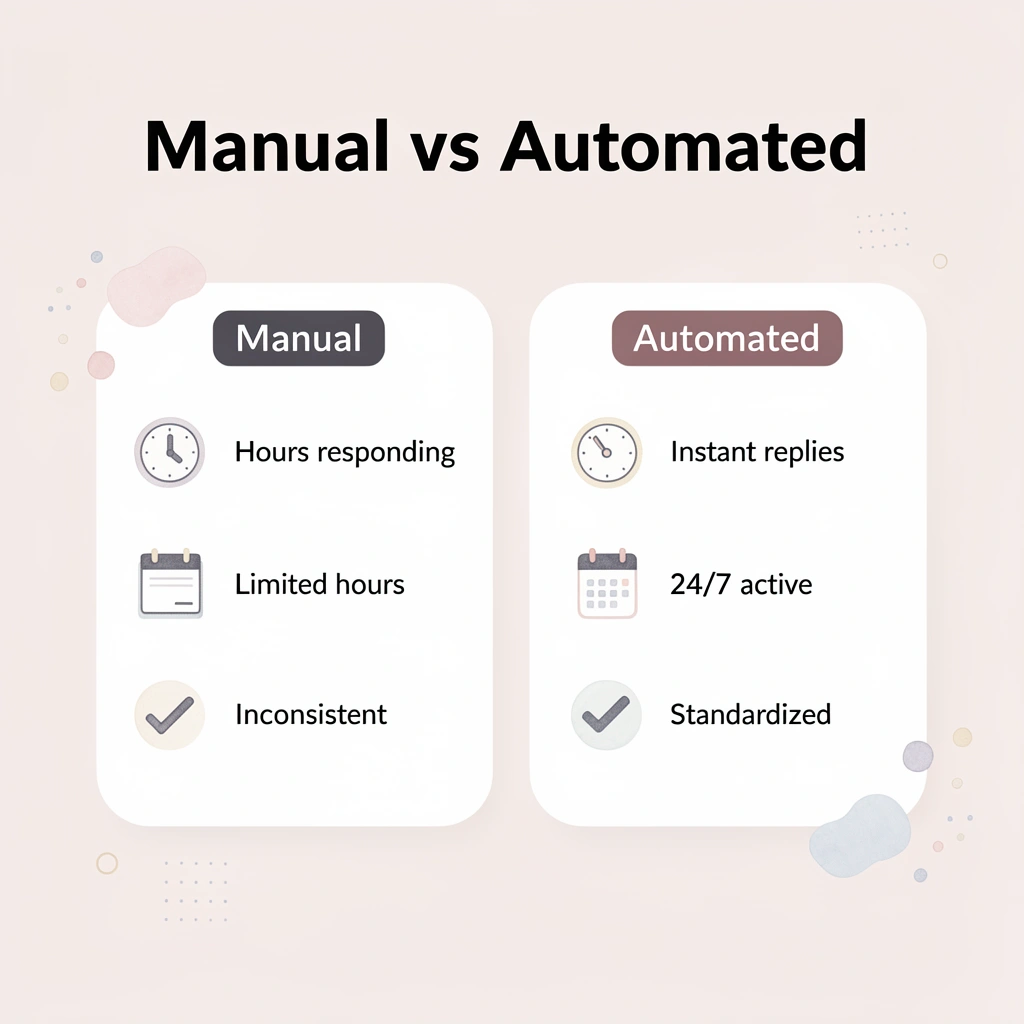
Warning: Most people confuse basic scheduling tools with true automation. Real automation responds to user actions and creates dynamic workflows, not just posting content at predetermined times.
What do most people misunderstand about automation?
Most people confuse Instagram automation with scheduling posts or running bot accounts to inflate follower counts. Real automation operates behind the scenes as engagement infrastructure: direct message flows that qualify leads, comment filters that surface genuine conversations, analytics systems that track conversions, and lead capture mechanisms that collect customer information while interest peaks. LinktoDM reports that creators using automation can see audience engagement jump by as much as 300 percent because they're responding when it matters.
The Misconception That Costs You Customers
Growth hacks optimize for vanity metrics—downloading a tool promising 10,000 followers in a week tanks your engagement rate. Workflow automation optimizes for conversations that convert. One makes your account look busy; the other makes your business money.
The confusion stems from how these tools are marketed. "Auto-like 500 posts per day!" sounds productive until Instagram flags your account for inauthentic behavior. Legitimate automation—setting up a DM flow that asks qualifying questions when someone comments on your product post—operates within platform guidelines and moves prospects through your sales process. One violates terms of service; the other builds systematic customer relationships.
What are the five core categories of automation?
Automation includes five main workflow categories. Direct message automation answers questions immediately, whether someone asks about pricing at 2 AM or requests a product link while you're on vacation. Content scheduling groups creative work into focused sessions, then shares posts when your audience is most active.
Comment management filters out spam and highlights real questions that require human attention. Analytics tracking reveals patterns in content saves, shares, and profile visits without manual spreadsheet updates. Lead qualification captures email addresses and customer preferences through conversation flows before interest wanes.
How do AI agents differ from traditional automation tools?
Traditional automation tools require manually mapping every possible customer path and building decision trees for dozens of scenarios. This approach breaks down when customer questions change or when managing multiple product lines.
Platforms like Bud use a different approach: our AI agents with full computer access can see your Instagram interface, understand context from previous conversations, and execute multi-step workflows independently. Rather than rigid if-then rules, our system adapts to how real conversations unfold, handling complexity without requiring you to anticipate every variation.
How does response speed impact conversion rates?
Answering a sales question within five minutes, rather than five hours, can increase conversion rates by up to 391%. When someone asks about your product, they're making a small commitment. Each minute without a response gives them time to reconsider, explore competitors, or forget entirely. Your competitor who answers immediately captures their attention while they still care.
What time savings can automation provide?
According to research on social media automation, businesses save over 6 hours per week using smart automation. Those six hours can go toward content strategy, product development, or real customer conversations requiring a personal touch. A consistent Instagram presence eliminates the stress of worrying whether you've missed something important.
Why do some automation tools fall short?
But not all automation tools can understand what's happening on your screen or in your workflow, which is where the next level of capability becomes important.
4 Main Types of Instagram Automation Tools You Should Actually Know
Automation tools fall into distinct groups: some schedule content, others manage conversations, track performance, or perform multiple functions. Understanding these categories helps you select tools that match your Instagram needs. Key Point: The right automation tool depends on your specific Instagram goals - whether that's content consistency, engagement management, or performance tracking.
| Tool Type | Primary Function | Best For |
|---|---|---|
| Content Schedulers | Automate posting | Consistent content delivery |
| Engagement Tools | Manage interactions | Community building |
| Analytics Platforms | Track performance | Data-driven decisions |
| All-in-One Solutions | Multiple functions | Comprehensive management |
"Understanding your automation needs before choosing tools prevents you from paying for features you'll never use while missing the ones you actually need." Warning: Many businesses choose all-in-one tools thinking they'll save money, but often end up paying for unnecessary features while getting weaker performance in areas that actually matter to their Instagram strategy.
1. All-in-One Instagram Automation Platforms
These platforms consolidate scheduling, DM automation, analytics, and lead capture in one place. Tools like Bud manage conversation flows, customer qualification, and support interactions without requiring rigid decision trees for every scenario.
All-in-one tools cost more than single-purpose tools, but using separate platforms creates hidden expenses because everything is fragmented. When your scheduling tool doesn't connect to your analytics platform, you must manually integrate information that should connect automatically.
Best for businesses using Instagram to make money. If you're running customer service through DMs, finding leads through comments, or managing multiple client accounts simultaneously, a single platform saves more money than it costs.
2. Scheduling and Publishing Tools
These tools focus on content calendar management: batching creative work, queuing posts for the week, and publishing at optimal times based on Instagram's over 1 billion monthly active users' engagement patterns. Buffer, Later, and Hootsuite lead this category, with many offering free plans with limited post volumes.
What limitations do these tools have?
The problem arises when someone comments on your scheduled post to ask about pricing. The tool publishes your content but cannot answer questions, gauge interest, or capture contact information. You must still check notifications manually or use another tool to manage conversations.
Who should use scheduling and publishing tools?
Best for content creators and small businesses that prioritize regular posting over complex engagement workflows. If your Instagram strategy centers on visibility rather than direct sales, these tools deliver what you need without unnecessary features.
3. DM-Specific Automation Tools
These tools handle conversation management by responding immediately to common questions. A customer asking about shipping times receives tracking information and delivery estimates; a prospect requesting pricing gets options and qualifying questions about budget and timeline.
How do AI agents improve DM automation?
Traditional DM automation requires you to manually map out every conversation path, which breaks when customers ask unexpected questions or your product line expands. Our AI agent uses a different architecture: full computer access lets the system see your Instagram interface, understand the conversational context, and generate multi-step responses without rigid if-then rules. It adapts to real conversations instead of requiring you to anticipate every scenario.
Which businesses benefit most from DM automation?
Best for e-commerce businesses and service providers answering repetitive questions. If you're explaining the same return policy 50 times per week or sending the same consultation booking link to every inquiry, automation reclaims hours and improves response speed.
4. Analytics and Insights Tools
These tools automatically track performance metrics, showing which posts drove profile visits, generated saves versus shares, and when your audience engages most. They reveal patterns without manual spreadsheet updates or screenshot comparisons.
Analytics tools turn activity into insight, showing which content formats, topics, and posting times drive metrics that matter to your business goals. Posting consistently without tracking means optimizing based on assumptions rather than facts.
Who benefits most from automated analytics tracking?
Best for marketers who want to make data-driven decisions about content strategy. Automated tracking eliminates guesswork when testing different approaches, and agencies managing multiple accounts benefit significantly since manual tracking cannot scale across dozens of clients.
Knowing these categories helps, but choosing the wrong specific tool within the right category still wastes money and creates frustration.
15 Best Instagram Automation Tools Compared by Use Case and Business Goal
Picking the right Instagram automation tool means matching what you need to do with what each platform can accomplish. A scheduling tool won't find and qualify leads. An analytics platform won't answer direct messages. The tools below are organized by what they help you accomplish, so you can find which one solves your problem.
| Use Case | Best Tools | Key Strength |
|---|---|---|
| Content Scheduling | Later, Buffer, Hootsuite | Bulk posting and calendar management |
| Lead Generation | InstaBoom, Kicksta | Targeted follower growth |
| Analytics & Insights | Sprout Social, Iconosquare | Deep performance metrics |
| DM Management | ManyChat, Chatfuel | Automated responses |
| Hashtag Research | Hashtagify, RiteTag | Trending tag discovery |
| Key Point: The most expensive tool isn't always the best fit - focus on tools that solve your specific bottlenecks rather than trying to do everything at once. |
Takeaway: Start with one primary goal (scheduling, growth, or engagement), master that tool completely, then gradually add complementary automation tools to build your complete Instagram system.
1. Bud
Tired of bouncing between tabs, copying data, and manually executing repetitive tasks across different apps? Bud is the first AI agent with full computer access, meaning it can navigate websites, fill out forms, pull data, and complete multi-step workflows just like you would. From Bloomberg Terminal analysis to GitHub tickets to QA testing, Bud handles the grunt work while you focus on what matters.
What it does well
Executes complex, multi-step processes autonomously without requiring you to map every possible scenario in advance. Instead of rigid if-then rules that break when workflows evolve, Bud sees your screen, understands context, and adapts to how real tasks unfold.
Who it's for
Developers and technical teams managing workflows that span multiple platforms, anyone dealing with repetitive cross-application tasks that traditional automation can't handle, and businesses needing autonomous execution rather than just scheduled triggers.
The catch
This level of autonomy requires trusting an AI agent with broader system access than traditional automation tools.
Why it stands out
Full computer access lets it handle workflows that other tools can't because they're limited to API integrations and predefined triggers.
2. Sprinklr Social
Sprinklr Social is built for enterprises managing multiple brands, teams, and geographies simultaneously. It delivers the channel coverage and governance infrastructure that global organizations require when Instagram represents one piece of a complex social media operation.
What it does well
Supports 30+ digital channels with enterprise-grade configurability, ensuring that no customer interactions are missed across regions or brand divisions. Customizable approval workflows and moderation processes maintain brand consistency when dozens of team members publish content daily.
Who it's for
Large enterprises with multiple brands, global teams coordinating across time zones, and organizations requiring detailed governance and compliance tracking for every social interaction.
The catch
Smaller teams will find the comprehensive feature set overwhelming and end up paying for capabilities they'll never use.
Why it stands out
Industry-leading listening capabilities combined with unified customer experience management that integrates consumer intelligence, marketing, and customer service on a single platform.
3. Sprout Social
Sprout Social provides comprehensive scheduling, detailed analytics, and interactive engagement tools designed for businesses treating Instagram as a strategic channel requiring sophisticated measurement and multi-account coordination.
What it does well
Advanced analytics surface deeper insights into audience behavior patterns than Instagram's native tools provide. Sophisticated scheduling capabilities let you plan content campaigns weeks in advance while maintaining a consistent publishing cadence across accounts.
Who it's for
Larger businesses or agencies managing multiple client accounts, marketing teams needing to justify social media ROI with detailed reporting, and organizations requiring robust multi-account management with team collaboration features.
The catch
Higher cost and a feature-rich interface create a steep learning curve that smaller teams may find prohibitive.
Why it stands out
Powerful engagement tools maintain active conversations across accounts while consolidating all interactions into a unified inbox.
4. SocialPilot
SocialPilot focuses on bulk scheduling and straightforward analytics, making it accessible for small to medium-sized businesses that need consistent posting without operational complexity.
What it does well
Bulk scheduling lets you queue dozens of posts simultaneously, dramatically reducing time spent on content distribution. Intuitive analytics track performance without requiring data analysis expertise.
Who it's for
Small to medium-sized businesses managing limited accounts, teams prioritizing productivity over advanced features, and budget-conscious brands needing reliable scheduling without premium pricing.
The catch
Engagement features and analytics depth fall short compared to enterprise platforms.
Why it stands out
Cost-effective solution with a user-friendly design that simplifies operations for teams without dedicated social media specialists.
5. Kicksta
Kicksta grows your follower base through strategic engagement, not content scheduling or analytics. It targets accounts similar to your ideal customer and engages with their content to drive authentic follow-ups.
What it does well
Organic follower growth through targeted actions that attract relevant audiences genuinely interested in your content. User-friendly setup requires minimal configuration to start seeing results.
Who it's for
Brands prioritizing genuine community building over vanity metrics, influencers and creators focused on audience quality rather than speed, and businesses willing to invest in slower but more sustainable growth.
The catch: Growth rate will be slower than expected, and the platform lacks scheduling and analytics capabilities entirely.
Why it stands out
Commitment to authenticity with real, bot-free followers gained through strategic engagement rather than artificial inflation.
6. Nitreo
Nitreo automates engagement while keeping interactions natural, focusing exclusively on organic growth through real user interactions rather than fake accounts or engagement pods.
What it does well
Facilitates genuine follower growth by targeting users based on precise criteria like hashtags, locations, and competitor followers. Quick setup gets campaigns running within minutes.
Who it's for
Influencers and brands cultivating genuine followings, accounts prioritizing engagement quality over follower count, and users comfortable with subscription-based growth strategies.
The catch
Organic strategies yield slower results, and there's no direct content scheduling or detailed analytics.
Why it stands out
Prioritizes organic growth without reliance on bots, maintaining account safety while building authentic audiences.
7. Tailwind
Tailwind specializes in Instagram and Pinterest content optimization, focusing on scheduling, content planning, and maximizing post reach through strategic hashtag recommendations.
What it does well
Tailored scheduling suggests optimal posting times based on your audience's activity patterns. Hashtag suggestions enhance post visibility by identifying trending and relevant tags. Tailwind Tribes offer opportunities for community engagement where creators share and amplify each other's content.
Who it's for
Individual content creators managing visual-heavy content, Pinterest and Instagram marketers needing specialized tools for both platforms, and users seeking community-driven content amplification.
The catch
Better suited to visual-heavy content strategies, with limited social platform integration, requiring additional tools for comprehensive management.
Why it stands out
Specialized features for Instagram and Pinterest that generic social media tools don't provide, particularly Tribes for community-based reach expansion.
8. NapoleonCat
NapoleonCat provides sophisticated automation for engagement and deep analytics, designed for businesses and teams managing multiple accounts from a centralized platform.
What it does well
Streamlines engagement across multiple accounts with automated moderation and response features. Detailed analytics inform decision-making through customizable reports that track performance metrics aligned with your business goals.
Who it's for
Agencies managing multiple client accounts, brands with social media teams requiring collaboration features, and businesses needing detailed reporting for stakeholders.
The catch
The complex setup process challenges new users, and pricing can be prohibitive for smaller operations.
Why it stands out
Efficient multi-account management capabilities with customizable reports that track and analyze performance across all connected profiles.
9. TailorTalk
TailorTalk transforms Instagram from a social inbox into a real sales channel through instant replies, lead qualification, follow-up sequences, and clean human handoff when conversations require personal attention.
What it does well
AI sales agent functionality qualifies leads through conversation, follows up persistently without manual intervention, and continues conversations across Instagram, WhatsApp, and website chat. Strongest for businesses where Instagram conversations directly drive bookings or purchases.
Who it's for
Fashion brands, clinics, education businesses, and teams are using Instagram conversations to drive bookings or purchases, not just brand awareness. Businesses need lead qualification and follow-up, not just simple DM triggers.
The catch
Less relevant if your only goal is creator-style comment-trigger automations without sales qualification.
Why it stands out
Functions as an AI sales agent rather than just DM automation, handling qualification and multi-channel follow-up that traditional tools can't manage.
10. ManyChat
ManyChat remains one of the best-known names in Instagram automation because it makes creator-style flows accessible through comment keywords, DM triggers, story replies, and lightweight lead capture.
What it does well
Comment automation triggers flows when users comment specific keywords on posts. Lead magnet delivery sends resources instantly when prospects engage. Rule-based flows handle common scenarios without requiring technical expertise.
Who it's for
Creators and agencies wanting rule-based Instagram flows, teams prioritizing comment automation and lead magnets, and users comfortable with trigger-based logic rather than conversational AI.
The catch
Becomes weaker when businesses need deeper qualification and follow-up after the first interaction, behaving more like a trigger engine than a true sales workflow.
Why it stands out
Strong for comment automation and lead magnets with an interface that creators find intuitive.
11. Respond.io
Respond.io functions as an omnichannel inbox and workflow product rather than a pure Instagram automation tool, providing shared visibility across channels with complex routing and operational logic.
What it does well
Omnichannel inbox control consolidates Instagram, WhatsApp, Facebook Messenger, and other channels into unified team workflows. Operational visibility matters when multiple team members need to see conversation history and handoff context.
Who it's for
Larger teams wanting omnichannel inbox control across multiple communication platforms, organizations where operational visibility matters more than autonomous selling, and businesses with dedicated customer service teams managing high message volumes.
The catch
Businesses often still need people to actively manage the workflow, making it heavier than most SMBs need for Instagram-led sales.
Why it stands out
Useful when operational visibility and team coordination matter more than autonomous qualification and follow-up.
12. Buffer
Buffer optimizes Instagram post timing and content types with AI-powered suggestions based on historical performance data, making it an excellent choice for solo users focused on maximizing organic reach.
What it does well
AI-powered content optimization recommends ideal posting times, content types, and publishing frequency based on your account's performance history. Auto-posting publishes Instagram Stories, Reels, and regular posts at optimal times without manual intervention. RSS feed integration curates content from external sources directly into your posting queue.
Who it's for
Solo users and small teams prioritizing post optimization over engagement automation, content creators managing limited accounts without complex workflows, and users wanting WordPress, Feedly, and Pocket integration for content curation.
The catch
Per-channel pricing structure makes the platform expensive for businesses managing multiple accounts, and it lacks competitive benchmarking and advanced collaboration features.
Why it stands out
Beginner-friendly interface with custom UTM parameter tracking that helps attribute traffic and conversions to specific Instagram posts.
13. SocialBee
SocialBee's Social Media Copilot drafts comprehensive social media strategies by suggesting content types, ideal posting frequency, and weekly posting plans tailored to your brand's tone and target audience.
What it does well
Automates Instagram content strategy planning by recommending platform-specific post frequency and content categories for maximum reach. Content recycling repurposes evergreen posts automatically. AI visual and caption generation creates post content with minimal manual input. Automatic platform-specific tweaks adapt content when scheduling across multiple social networks.
Who it's for
Teams needing structured content strategy planning, businesses wanting content recycling to maximize evergreen material, and users comfortable with initial setup complexity in exchange for long-term automation.
The catch
The initial setup can feel overwhelming, with many features and options to configure, and bulk settings sometimes require a careful approach to avoid posting errors.
Why it stands out
Social Media Copilot provides strategic planning guidance that goes beyond simple scheduling, suggesting what to post and when based on your specific business context.
14. Agorapulse
Agorapulse consolidates social messaging, listening, media management, and team collaboration into a unified platform designed for agencies and brands with dedicated social media teams.
What it does well
The Unified inbox consolidates all social messages across platforms, so teams never miss customer inquiries. Social listening tracks brand mentions, competitor activity, and industry keywords. Team collaboration features include approval workflows and role-based permissions. Competitor analysis benchmarks your performance against similar accounts.
Who it's for
Agencies managing multiple client accounts, brands with social media teams requiring collaboration features, businesses needing detailed reporting for stakeholders, and anyone requiring robust team collaboration with approval workflows.
The catch
Contains too many features for solopreneurs or small businesses, meaning you'd be paying for capabilities you don't need.
Why it stands out
Social listening tracks mentions of your brand, competitors, or industry keywords across social media, helping you jump into conversations and identify potential customers.
15. Iconosquare
Iconosquare prioritizes depth of analytics over automation, providing Instagram insights that go far beyond Instagram's native analytics.
What it does well
In-depth Instagram analytics reveal engagement rates by post type, optimal posting times based on your actual data, follower growth trends, hashtag performance, and caption analysis. Competitor analysis benchmarks your performance. Automated reporting generates client-ready reports without manual data compilation.
Who it's for
Data-driven marketers making decisions based on metrics rather than intuition, brands needing to justify social media ROI to stakeholders, agencies creating client reports, and anyone who makes strategic decisions based on performance data.
The catch
If you just want to schedule posts and don't care about deep analytics, this is more than you need, and the data-heavy interface can feel overwhelming.
Why it stands out
Analytics are ridiculously detailed, showing engagement rates by post type, optimal posting times based on your data, follower growth trends, and even which caption types perform best.
Most teams adopt tools based on the features listed on pricing pages, only to discover months later that the platform doesn't actually solve their workflow problem. The real question isn't what a tool can do, but whether using it the wrong way will damage your account before you realize the mistake.
How to Use Instagram Automation Without Hurting Your Engagement or Getting Account Restrictions
Using Instagram automation safely means understanding what the platform punishes. Instagram's detection systems flag behavior that looks fake, not automation itself. Meta-approved tools like ManyChat or Buffer for scheduling posts or sending instant FAQ responses work within the rules. Unauthorized bots that follow 500 accounts per hour or send the same DMs to many people trigger spam signals that result in shadowbans or permanent restrictions. The difference is whether your automation appears to be a real person or a computer program. Key Point: Focus on human-like behavior patterns rather than avoiding automation entirely. Instagram's algorithms are designed to catch obvious bot activity, not thoughtful automation.
Warning: Never use tools that require your actual Instagram password or promise unrealistic growth rates like 1,000 followers per day - these are guaranteed to trigger account restrictions.
Use Only Meta-Approved Automation Partners
Unauthorized third-party tools that promise follower packages or engagement pods violate Instagram's terms of service by creating fake activity that degrades platform quality. Meta-approved partners connect via official APIs, with built-in rate limits and behavior constraints to prevent spam. According to Instagram, 80% of Instagram users follow at least one business account, meaning legitimate business automation that improves response times aligns with user expectations. The platform encourages businesses to respond quickly and consistently, but prohibits fake engagement that inflates metrics without delivering real value.
Prioritize Value Over Volume in Every Automated Interaction
Automation fails when it prioritizes convenience over user needs. A comment-to-DM flow that sends a free guide when someone types "RESOURCE" delivers immediate value: the user requested something specific and received it instantly. Auto-DMing every new follower with a sales pitch interrupts without permission or context. Businesses that post consistently see 67% more engagement because regular posting combined with responsive interaction builds trust over time. Automation should feel like helpful infrastructure, not promotional machinery.
Personalize Messages to Maintain Human Connection
Generic automated responses destroy trust immediately. A response like "Thanks for your interest! Visit our website for more information" reads as bot language and disengages people. Compare this to "Hey Sarah, our pricing starts at $49/month for the starter plan. What specific features matter most for your business?"—personal, even when automated. Traditional automation tools require manually mapping every conversation variation and fail when questions deviate from predefined decision trees. Platforms like Bud operate differently because our AI agent has full computer access: it sees your Instagram interface, understands conversation context from previous messages, and adapts responses based on what's happening rather than rigid if-then rules.
How should you gradually implement activity limits?
Instagram's algorithm flags sudden behavior changes as spam signals. If your account typically sends 10 direct messages daily and suddenly sends 200, the platform flags that spike regardless of message content. Start with one automated workflow, such as FAQ responses, to monitor changes in engagement before expanding.
Automated direct message responses can save up to 10 hours per week, but only if you implement them gradually enough that Instagram recognizes the activity as legitimate growth rather than suspicious manipulation. Successful teams treat automation as infrastructure that scales with audience growth, not a shortcut to inflate metrics artificially.
What happens when automation goes wrong?
Most businesses discover automation problems only after engagement drops, followers stop converting, or Instagram restricts their account. The tools don't warn you when workflows cross from helpful to spammy; they keep executing. The real failure point is the gap between what you think the tool is doing and what's actually happening in your customer conversations.
Instagram Automation Tools Don't Fail Because of the Tools — They Fail Because of the Workflow Gap
Instagram automation tools handle scheduling posts, automating replies, tracking engagement, and managing content workflows. However, they operate only on Instagram and don't handle end-to-end workflows across your entire digital stack. Key Point: The real bottleneck isn't Instagram automation—it's what happens after Instagram in your workflow.
You still end up manually moving data between tools, switching between dashboards, copying insights into spreadsheets or CRMs, and executing steps outside of Instagram. Someone still needs to log that lead, update the customer record, pull the report, or trigger the next step in your business process.
"Platform-specific automation creates gaps you're still filling manually when Instagram represents the beginning of a process rather than the end."
This is where a different type of automation layer becomes relevant. Bud is an AI agent designed to operate across applications rather than on a single platform. Rather than automating only Instagram tasks, our AI agent can navigate websites, extract data, fill forms, and complete multi-step workflows across your entire system.
| Instagram Tools | Cross-Platform AI Agents |
|---|---|
| Schedule posts | Execute full workflows |
| Automate replies | Navigate multiple apps |
| Track engagement | Extract and process data |
| Manage content | Fill forms across systems |
This is useful when your Instagram leads need processing in CRMs or external systems, your workflow spans multiple tools beyond social media, or you want automation that extends beyond posting and engagement into execution. Warning: Cross-platform automation may not be necessary if you only need basic Instagram scheduling or engagement automation.
It may not be necessary if you only need basic Instagram scheduling or engagement automation, or if your workflow is entirely contained within social platforms. But when Instagram represents the beginning of a process rather than the end, platform-specific automation creates gaps you're still filling manually.
The difference between using automation tools and scaling with automation systems is whether work stops at Instagram or continues across everything else you use. Describe a workflow you currently do after Instagram activity: collecting leads from DMs and logging them into a CRM, or pulling engagement data and generating a report. That's where autonomous execution matters more than scheduled triggers.