10 Best Lark Alternatives for Workflow Productivity
Your team's productivity shouldn't depend on wrestling with a communication platform that slows you down. When messages get buried, workflows fragment across multiple tools, and simple tasks require too many clicks, it's time to explore Lark alternatives that actually support how your team works. The best options streamline collaboration, cut through communication clutter, and get teams moving faster toward what matters.
Smart teams need solutions that adapt to their processes rather than forcing rigid workflows. The right platform brings together communication and action in one place, so teams spend less time managing tools and more time getting real work done. For those seeking a smarter way to connect workflows without platform-switching headaches, Bud's AI agent learns processes and automates repetitive tasks that consume valuable time.
Table of Contents
- Why Teams Start Looking for Lark Alternatives in the First Place
- What Actually Makes a Strong Lark Alternative (Beyond Feature Parity)
- 10 Best Lark Alternatives Compared for Teams, Scale, and Workflow Fit
- If You're Switching Tools to Reduce Workflow Friction, Execution Is the Real Bottleneck
Summary
- Teams using consolidated platforms spent 68% more time navigating internal tool architecture than completing actual tasks, according to research analyzing 847 collaborative work sessions. The cognitive load isn't about learning the tool. It's about constantly deciding which part of the tool to use for each specific action. All-in-one platforms move complexity rather than eliminate it, creating decision overhead every time someone needs to share a file or update a project.
- Most knowledge workers spend 83% of their time in email and chat, yet nearly 60% of their workday vanishes switching between these tools and searching for information. The cost isn't the subscription fee. It's the context-switching tax that compounds with every jump between messaging, project management, and documentation. Specialized tools that do one thing exceptionally well reduce this cognitive load because the tool's purpose and your task purpose align automatically.
- Integration flexibility beats consolidation for teams at scale. As organizations grow, different functions need different capabilities. Marketing runs on different infrastructure than engineering, and sales operates in a different rhythm than product. Teams that scale smoothly build integration layers between specialized tools rather than forcing everyone into a single monolithic system where permission structures become too complex to manage daily.
- Feature parity comparisons miss the actual problem. Evaluating collaboration platforms by checking off features (video, task management, file sharing) tells you nothing about whether the tool removes friction from your specific workflow. The question isn't what a platform can do. It's whether what it does aligns with how your people already think, decide, and execute without adding layers of meta-decisions about where work should happen.
- Platform switching rearranges the furniture without changing the work itself. You still copy data between systems, click through multi-step processes, and manually trigger actions that could run autonomously. Cleaner dashboards or better-integrated apps don't remove the need to fill forms, extract data, or complete structured workflows step by step. The interface improves, but the execution layer stays exactly where it was.
- Bud's AI agent addresses this by operating as an autonomous worker with its own computer, browser, and phone number, executing multi-step workflows across existing platforms without requiring human coordination.
Why Teams Start Looking for Lark Alternatives in the First Place
Teams looking for Lark alternatives usually don't start because features are missing. Instead, teams find themselves spending more time managing the tool than using it: navigating permission hierarchies to share a file or enduring slow performance when deadlines approach. The problem isn't what Lark can't do, but the critical gap between how the platform works and how teams actually need to work.

Key Point: The biggest frustration with Lark isn't missing functionality—it's the operational friction that slows down daily workflows and creates unnecessary bottlenecks in team collaboration.

Warning: When your collaboration platform requires more management than the actual work you're trying to accomplish, it's time to evaluate whether the tool is helping or hindering your team's productivity goals.
How does platform consolidation create unexpected complexity?
All-in-one platforms promise fewer tools and simpler workflows, and Lark delivers on this by packing messaging, documents, video calls, and task management into a single ecosystem. But that comprehensiveness creates a problem: teams discover that Lark's breadth means navigating multiple systems on a single platform.
The cognitive load doesn't disappear; it gets reorganized. According to Lark's promotional materials, some organizations report a 39% productivity boost, but consolidation is only effective when the platform's structure matches your team's workflow patterns.
Why do fast-paced teams struggle with workflow mismatches?
Fast-paced teams feel this problem most acutely. File sharing that requires detailed permission setup conflicts with the mental model of "send this to the team now."
Performance slowdowns during large collaborative projects interrupt your work when momentum matters most. If the platform's design doesn't match how your organization works, you're fighting the tool instead of using it.
What happens when Lark doesn't integrate with your existing tools?
Lark works well within its own system. Internal integrations run smoothly, features connect logically, and the unified environment makes sense if your entire workflow lives there. The problem emerges when your organization uses multiple platforms.
Marketing teams need CRM data, sales teams pull from analytics tools, and operations coordinate across project management systems. Lark's limited external integrations mean that cross-platform workflows require workarounds, manual data transfers, or the sacrifice of functionality available elsewhere.
How do AI agents solve ecosystem limitations?
Tools like Bud's AI agent work differently. Instead of requiring your entire workflow to live in a single system, independent AI workers operate across platforms, performing tasks wherever they exist.
The system adapts to your organizational structure rather than forcing your structure to adapt to the system. When dissatisfaction with Lark stems from ecosystem limits, the solution isn't finding another all-in-one platform with slightly different constraints—it's reconsidering whether consolidation is the right model for work that naturally spans multiple systems.
What signals when learning difficulties indicate deeper problems?
A deeper problem emerges when the learning curve persists after you start using the tool. Teams report that Lark's interface and setup demand time to master, particularly when schedules are tight. This complexity stems from the platform's comprehensive feature set. If the design doesn't align with how your team thinks or works, the learning curve never flattens. You're constantly adapting your workflows to fit the tool's logic, rather than the tool adapting to yours.
Why do all-in-one tools sometimes increase complexity?
This is where the belief that "all-in-one tools should reduce complexity automatically" breaks down. Consolidation moves complexity; it doesn't eliminate it. Whether that trade-off makes sense depends entirely on fit. For some teams, Lark's structure aligns perfectly with their workflow, and the unified environment simplifies operations. For others, the platform's comprehensive approach introduces more friction than the fragmented tools it replaced.
The dissatisfaction isn't about Lark being poorly designed. It's about organizational structure and platform architecture pointing in different directions. Recognizing the mismatch is only the beginning of solving it.
What Actually Makes a Strong Lark Alternative (Beyond Feature Parity)
The best choice isn't always the one with the most features—it's the one that makes your work easier. Your specific workflow matters more than a long list of capabilities. Teams often compare tools by examining features such as video, task management, and file sharing. But feature parity doesn't reveal whether the tool will work for how your team operates. The question isn't what a platform can do, but whether what it does matches how your people think, decide, and get things done.
Key Point: The most feature-rich tool isn't necessarily the best fit—focus on how well it aligns with your team's natural workflow patterns.
Tip: Before evaluating features, map out your team's current decision-making process and communication patterns to identify what matters for your productivity.

How do all-in-one tools create decision overhead?
All-in-one tools create decision overhead. Every time someone needs to share a file, they face a choice tree: Which folder system should they use? What permission level? Should this live in the doc editor or the project tracker?
According to research analyzing 847 collaborative work sessions, teams using consolidated platforms spent 68% more time navigating the internal tool architecture than on task completion. The cognitive load stems from constantly deciding which part to use, not from learning the tool itself.
Why do specialized tools reduce cognitive load?
Specialized tools reduce cognitive load per task type. When a platform excels at one thing, your brain conserves energy by avoiding unnecessary decisions. You open the tool, the context is clear, and you complete the work.
Teams working with focused tools report completing routine workflows in three messages or fewer, while all-in-one environments average 19 messages for the same outcome, with most spent clarifying where work should happen rather than what work needs doing.
Why do the strongest alternatives connect to your existing stack?
The best alternatives integrate with your existing tools rather than replace them. Teams need solutions that work with your databases, Slack channels, Gmail workflows, and analytics dashboards—not platforms requiring you to rebuild everything within a closed system.
When a collaboration tool forces you to move, you lose institutional knowledge embedded in your current systems and disrupt the habits and skills your team has developed over months or years.
How does integration beat consolidation for scale environments?
Integration works better than consolidation as teams grow. Specialized tools multiply because different functions need different capabilities: marketing requires different infrastructure than engineering, and sales operates on a different rhythm than product.
A collaboration platform that tries to be everything for everyone ends up optimized for no one. Teams that scale smoothly build integration layers between specialized tools rather than forcing everyone into a single monolithic system, which allows context to flow automatically and people to work where they're most effective.
How do autonomous workers change the collaboration landscape?
Platforms like Bud work as independent agents rather than coordination tools. Instead of creating another place where humans must coordinate, the AI agent operates autonomously with its own tools (computer, browser, phone number) to complete tasks end-to-end using your existing systems.
The change is about systems that work autonomously, connecting to your existing tools without requiring your team to adopt another platform.
Why does clarity of purpose matter more than configurability?
Being clear about what something is meant to do matters more than being able to change how it works. Tools that do one thing have simple permission models because there's only one thing to control. Platforms with many systems create permission complexity that grows rapidly: each system needs its own access logic, and the ways these systems connect multiply faster than anyone can document.
Teams end up with permission structures so complicated that sharing a simple file requires consulting documentation or contacting IT.
How do you evaluate if governance models work for daily users?
The evaluation question isn't whether a tool has strong permissions, but whether those permissions make sense to daily users. If your team spends more time managing access than accessing work, the governance model works against you.
The best alternatives make permission logic invisible for routine tasks and explicit only when crossing security boundaries that matter. But knowing what to look for helps only if you know where to look.
10 Best Lark Alternatives Compared for Teams, Scale, and Workflow Fit
The tools below solve different problems than Lark; they don't solve the same problem in a different way. Some remove the all-in-one complexity to focus on one thing done well. Others keep a wide range of features but rebuild how they work to reduce friction at scale. A few question the basic idea entirely, replacing human coordination with autonomous execution. Match the tool's core strength to your specific workflow bottleneck.

Key Point: The best Lark alternative isn't necessarily the one with similar features—it's the one that eliminates your team's biggest pain point while maintaining workflow continuity.
Pro Tip: Before evaluating alternatives, determine whether your team needs deeper functionality in one area or better integration across multiple workflows—this will help you decide whether to choose a specialist tool or a different all-in-one platform.
1. Bud AI Agent with Full Computer Access
Bud is the first AI agent with full computer access, navigating websites, filling forms, pulling data, and completing multi-step workflows independently. From Bloomberg Terminal analysis to GitHub tickets to QA testing, Bud handles repetitive tasks so you can focus on higher-value work.
What problem does this solve better than Lark?
Lark coordinates work through communication. Bud performs the work itself. When your bottleneck is execution—data entry, cross-platform updates, repetitive research—rather than coordination, an AI worker completes tasks autonomously without requiring human orchestration.
Best for
Teams with manual, multi-step workflows spanning multiple platforms.
2. Zoom Video Conferencing and Virtual Collaboration
Zoom is a video conferencing platform that enables teams to work together online from different locations. It supports hybrid workforces through real-time chat, screen sharing, and integration with other apps and tools.
What problem does this solve better than Lark?
Zoom excels at one thing: reliable video meetings. It avoids unnecessary features and complicated permission settings, offering clear video conferencing with noise suppression and virtual backgrounds. When meeting quality matters more than integrated calendar, chat, and document tools, Zoom's focused approach minimizes distractions.
Best features
- High-definition video conferencing with noise suppression and virtual backgrounds
- AI companion that generates meeting summaries, transcriptions, and actionable items automatically
- Conference rooms that enable real-time interaction between in-person and remote participants
Limitations
- Delayed customer support responses
- Unclear billing structure with users paying for features they don't use
Pricing
- Free forever
- Pro: $15.99/month per user
- Business: $21.99/month per user
Ratings
- G2: 4.5/5 (55,000+ reviews)
- Capterra: 4.6/5 (14,000+ reviews)
3. Microsoft Teams Communication Within the Microsoft Ecosystem
Microsoft Teams enables teams to collaborate effectively through real-time communication, file sharing, video meetings, and robust security features including end-to-end encryption. Custom bots can automate routine tasks.
What problem does this solve better than Lark?
If your organization uses Microsoft 365, Teams eliminates the need to connect different systems. Files are stored in SharePoint, emails flow through Outlook, and permissions derive from Active Directory. You avoid managing separate systems or maintaining duplicate user lists.
Best features
- Video and voice calls with group calling, voicemail, and call transfers
- Real-time chat with rich-text editing, emojis, and file sharing
- Teams Phone provides cloud-based telephone service with landline features.
Limitations
- Only works for Microsoft ecosystem investments
- Technical problems often cause the app to freeze between meetings.
Pricing
- Essentials: $4/month per user
- Business Basic: $6/month per user
- Business Standard: $12.50/month per user
Ratings
- G2: 4.5/5 (15,000+ reviews)
- Capterra: 4.5/5 (9,000+ reviews)
Knowledge workers spend 83% of their time in email and chat, yet nearly 60% of their workday disappears switching between tools and searching for information. The cost isn't the tool itself; it's the time lost to task switching.
4. Slack Dynamic Team Messaging and Organized Communication
Slack provides a safe, central place to send direct messages to people inside and outside your company. It integrates with over 33,000 business apps and lets you create channels for specific topics, as well as for team meetings, video calls, and voice calls.
What problem does this solve better than Lark?
Slack transformed workplace communication by organizing conversations into channels rather than inboxes. Conversations remain organized by topic instead of scattered across email threads or buried in all-in-one platform modules. The integration ecosystem lets you pull updates from GitHub, Salesforce, or Jira without leaving the conversation. When communication speed matters more than bundled docs and video, Slack's messaging focus reduces friction in finding the right conversation.
Best features
- Working with external stakeholders through direct discussions rather than lengthy email chains.
- Slack AI that can summarize threads so you can quickly understand what people discussed
- Slack Lists for managing tasks lets you create tasks, assign them to people, and track deadlines within your conversations.
Limitations
- Finding older messages can be difficult, even with the search tool.
- Additionally, notifications can overwhelm users on busy channels.
Pricing
- Pro: $8.75/month per user
- Business+: $15/month per user
- Enterprise Grid: Contact for pricing
Ratings
- G2: 4.5/5 (33,000+ reviews)
- Capterra: 4.7/5 (20,000+ reviews)
5. Google Workspace Centralized File Management and Cloud-Based Productivity
Google Workspace is a cloud-based productivity suite with tools for communication, documentation, file management, and storage. Businesses can customize email domains, permissions, and security settings to suit their needs.
What problem does this solve better than Lark?
Google Workspace bets on familiarity. Most teams already know Docs, Sheets, and Drive: no learning curve, no special formats, no vendor lock-in. Real-time collaborative editing works without lag because Google built the infrastructure for billions of users. When adoption speed matters, Workspace's widespread use eliminates training overhead.
Best features
- Google Docs for collaborative real-time document creation, where multiple people can edit and provide feedback simultaneously.
- Google Drive for storing files in the cloud with options to control access and sync across devices.
- Google Calendar for scheduling availability and event reminders
Limitations
- Creating secondary domains or domain aliases is subject to significant restrictions.
- Internet connectivity disruptions make offline work challenging.
Pricing
- Business Starter: $7.20 per month for each user
- Business Standard: $14.40 per month for each user
- Business Plus: $21.60 per month for each user
Ratings
- G2: 4.6/5 (42,000+ reviews)
- Capterra: 4.7/5 (16,000+ reviews)
6. Monday.com Streamlined Project Tracking and Collaborative Management
Monday.com makes it easier to organize your work with customizable boards for tracking projects, brainstorming ideas, and automating tasks.
What problem does this solve better than Lark?
Monday.com displays work visually rather than burying it in nested menus. Custom boards, timelines, and dashboards reveal project status at a glance without searching through messages or documents. When your team needs to see who is doing what and when, Monday's visual-first approach reduces the cognitive load of tracking work across an all-in-one platform.
Best features
- Reporting that gives a high-level overview of project metrics
- Monday AI automates requests, task assignments, and sentiment analysis for text data.
- Custom workflows built without code to coordinate tasks across different departments
Limitations
- It lacks detailed reporting features for breaking down metrics into smaller, specific views.
- The setup process is hard to follow and not easy to understand
Pricing
- Free forever
- Basic: $9/month per user
- Standard: $12/month per user
- Pro: $19/month per user
- Enterprise: Contact for pricing
Ratings
- G2: 4.7/5 (12,000+ reviews)
- Capterra: 4.6/5 (5,000+ reviews)
7. Notion Project Management and Creative Collaboration
Notion allows teams to build systems to manage projects, streamline workflows, and centralize information. You can create databases to track project progress, manage sales pipelines, plan blog posts, and more.
What problem does this solve better than Lark?
Notion treats documentation as important infrastructure rather than an afterthought. Databases, wikis, and project boards live on the same flexible canvas, allowing teams to build structures that match their workflow rather than adapt to predefined modules. When knowledge architecture matters as much as task execution, Notion's flexibility lets you design the system rather than conform to one.
Best features
- A connected workspace that breaks down complex projects into actionable tasks with timelines, tables, and progress charts.
- Notion AI answers work questions, analyzes PDFs, and provides conversational help.
- A site builder that creates websites from 10,000+ templates without requiring coding knowledge.
Limitations
- Organizing notes and documents becomes messy as projects grow more complicated.
- Sharing notes with people who don't use the tool complicates workflows when collaborating with people outside your team.
Pricing
- Free forever
- Plus: $12/month per user
- Business: $18/month per user
- Enterprise: Contact for pricing
- Notion AI: $10/month per user
Ratings
- G2: 4.7/5 (5,000+ reviews)
- Capterra: 4.7/5 (2,000+ reviews)
8. Bitrix24 Advanced CRM and Task Management
Bitrix24 is a business management platform offering CRM, collaboration, task management, website building, HR management, and workflow automation. Its cloud-based and on-premise solutions suit small and medium businesses seeking to manage operations in one place.
What problem does this solve better than Lark?
Bitrix24 focuses on CRM and sales pipeline management rather than general collaboration. If your team's main problem is tracking customer relationships rather than coordinating internally, Bitrix's lead management, deal tracking, and sales automation features offer more depth than general collaboration platforms provide as secondary features.
Best features
- Sales pipeline management with leads, contacts, customer information, deals, and pipelines
- Website builder for creating landing pages and capturing leads with custom forms
- Employee management with profiles, company structure, and performance tracking
Limitations
- Limited connections with third-party business systems.
- Managing deals and sales funnels is more complicated than using dedicated CRMs.
Pricing
- Free forever
- Basic $49/month (5 users)
- Standard $99/month (50 users)
- Professional $199/month (100 users)
- Enterprise $399/month (250 users)
Ratings
- G2: 4.1/5 (500+ reviews)
- Capterra: 4.2/5 (900+ reviews)
9. Asana Task Organization and Project Management
Asana is a project management platform for campaign management, organizational planning, goal management, and onboarding. Features like rules, templates, request intake forms, and bulk updates streamline workflow management.
What problem does this solve better than Lark?
Asana organizes work into tasks, subtasks, and dependencies without requiring navigation through multiple modules. When your team needs detailed task visibility and clear ownership, Asana's single-purpose focus reduces cognitive load and decision fatigue.
Best features
- Task visibility with tasks, subtasks, milestones, and streamlined approvals
- Resource management using capacity planning and workload features for optimal team capacity
- Asana AI triaging requests, drafting copies, prioritizing work, and optimizing resource allocation
Limitations
- Getting timely assistance through chat or online help facility proves difficult
- Task statuses often require manual updates, becoming challenging with multiple tasks and subtasks
Pricing
- Free forever
- Starter: $13.49/month per user
- Advanced: $30.49/month per user
Ratings
- G2: 4.4/5 (10,000+ reviews)
- Capterra: 4.5/5 (13,000+ reviews)
10. Coda Document Collaboration and Workflow Efficiency
Coda brings together documents, spreadsheets, and applications in one place, letting teams take notes, build tables, and save information using customizable interactive elements.
What problem does this solve better than Lark?
Coda replaces disconnected docs and tools with a flexible, all-in-one workspace. When teams need documents that act like apps—with automation, databases, and real-time collaboration—Coda reduces tool switching and keeps everything centralized.
Best features
- Flexible docs with tables, buttons, and interactive building blocks
- Automation with rules, workflows, and integrations across tools
- Real-time collaboration with comments, mentions, and shared editing
Limitations
- Initial setup and customization can take time for new users
- Advanced features may require a learning curve for non-technical teams
Pricing
- Free plan available
- Pro: $12/month per user
- Team: $36/month per user
Ratings
- G2: 4.7/5 (400+ reviews)
- Capterra: 4.6/5 (200+ reviews)
If You're Switching Tools to Reduce Workflow Friction, Execution Is the Real Bottleneck
The problem isn't that Lark or its alternatives lack features. Switching platforms rearranges the furniture without changing the actual work itself. You still copy data between systems, click through multi-step processes, and manually trigger actions that could run automatically. The interface improves, but the execution layer remains unchanged.
Key Point: Platform switching addresses surface-level issues while leaving core workflow inefficiencies untouched.
Most collaboration platforms centralize information and streamline communication, but this doesn't eliminate the repetitive tasks that consume hours each week. Navigating cleaner dashboards or using better-integrated apps doesn't remove the need to fill forms, extract data, or complete structured workflows step by step.
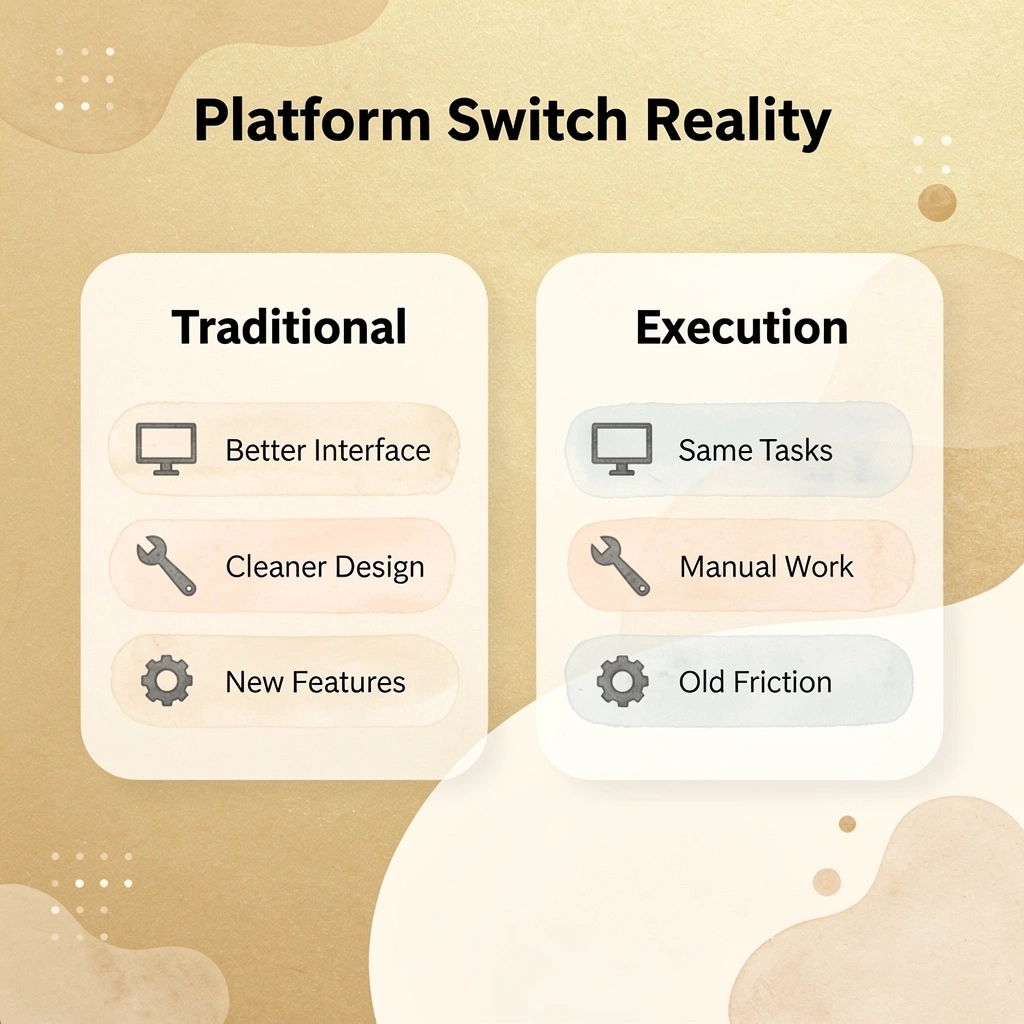
"The interface improves, but the execution layer stays exactly where it was - consuming the same hours each week on repetitive tasks."
Bud operates differently because it removes the execution layer entirely. As an AI agent with its own computer, browser, and phone number, Bud navigates websites, completes forms, extracts information, and executes multi-step workflows without manual intervention. Rather than managing tools that help your team collaborate, you delegate the actual work to an autonomous agent that performs tasks like a human worker would.
Warning: Traditional platform switches only reorganize how you access work - they don't eliminate the work itself.
You can try Bud today and watch it handle real workflows end-to-end. The shift is about eliminating repetitive execution, so your team can focus on decisions, not clicks.